Advanced AI for organic knowledge base management.
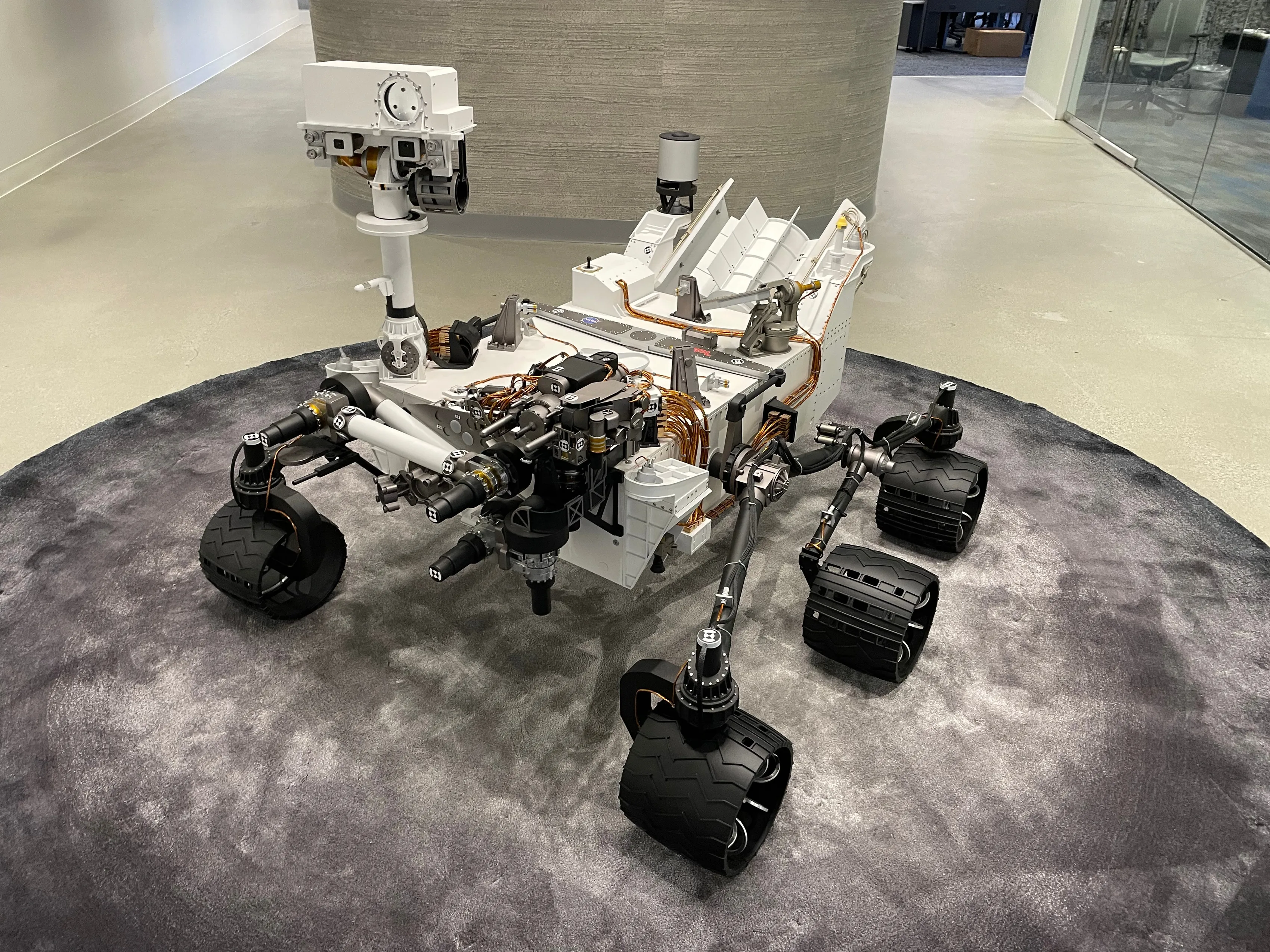
A replica Mars rover in the lobby of Beyond.ai in Glendale, where this work was done. I open with the building because the project is the record of one year inside it, from a first sketch to a product the company agreed on.
KBOps
Workshop
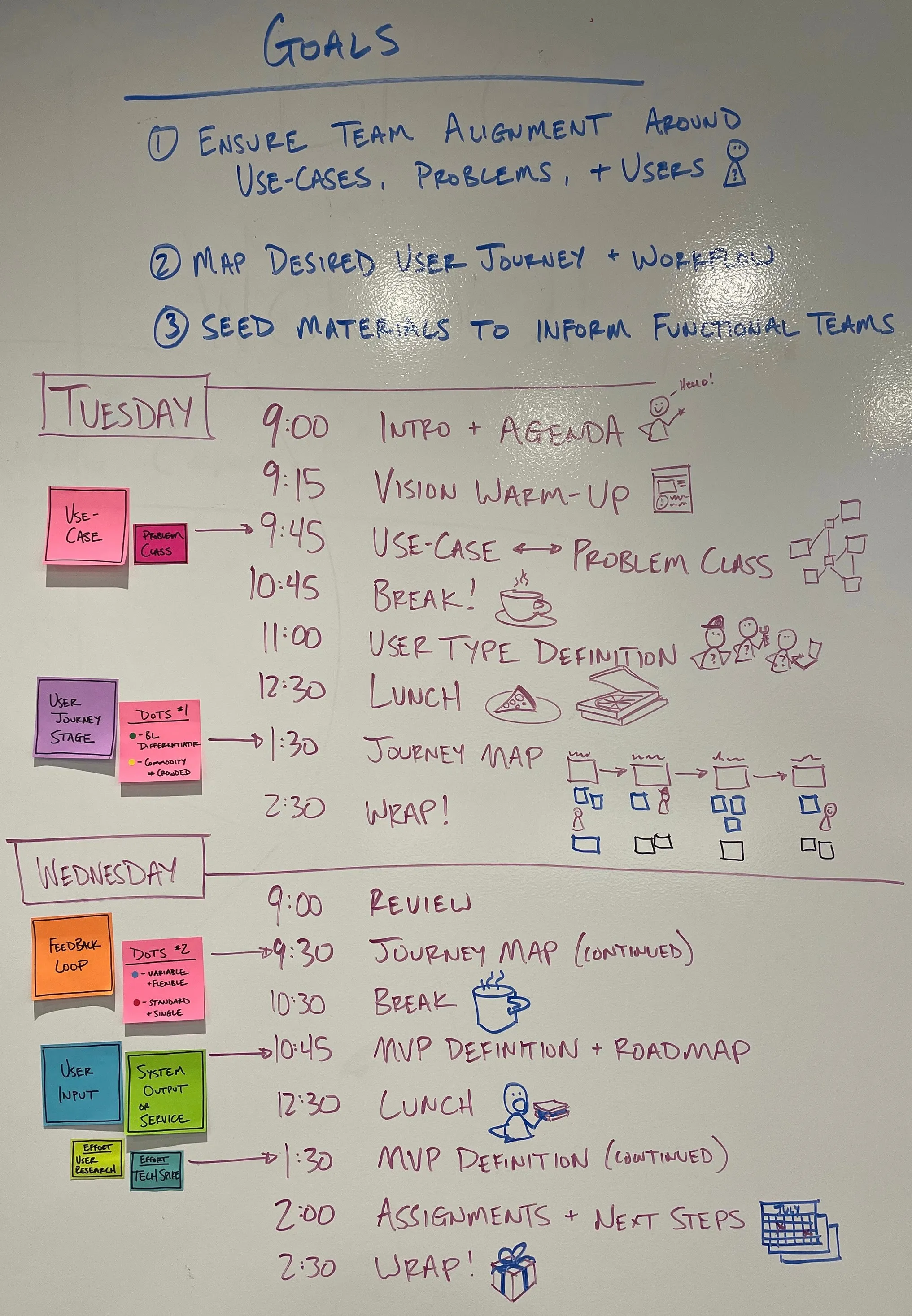
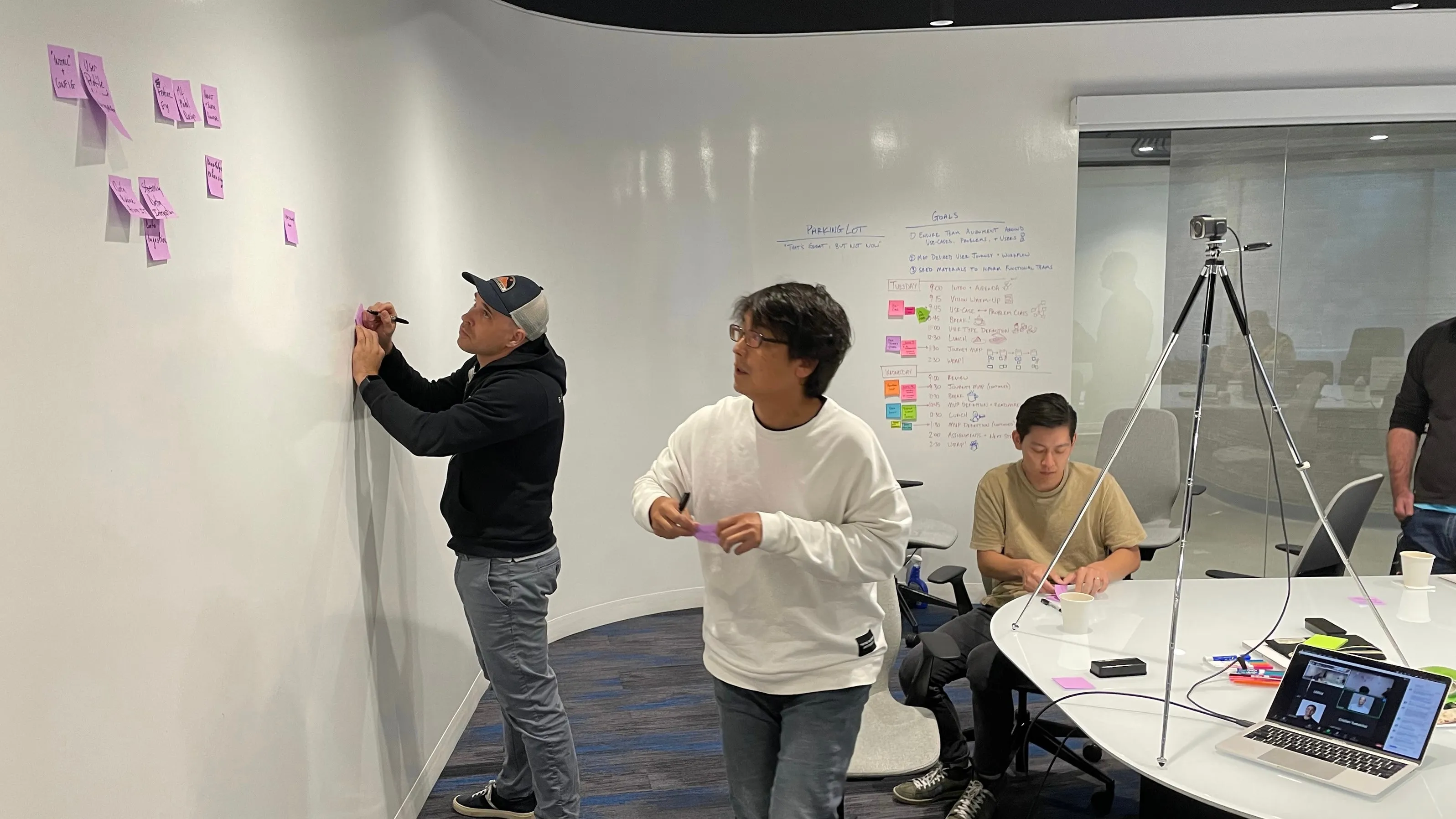
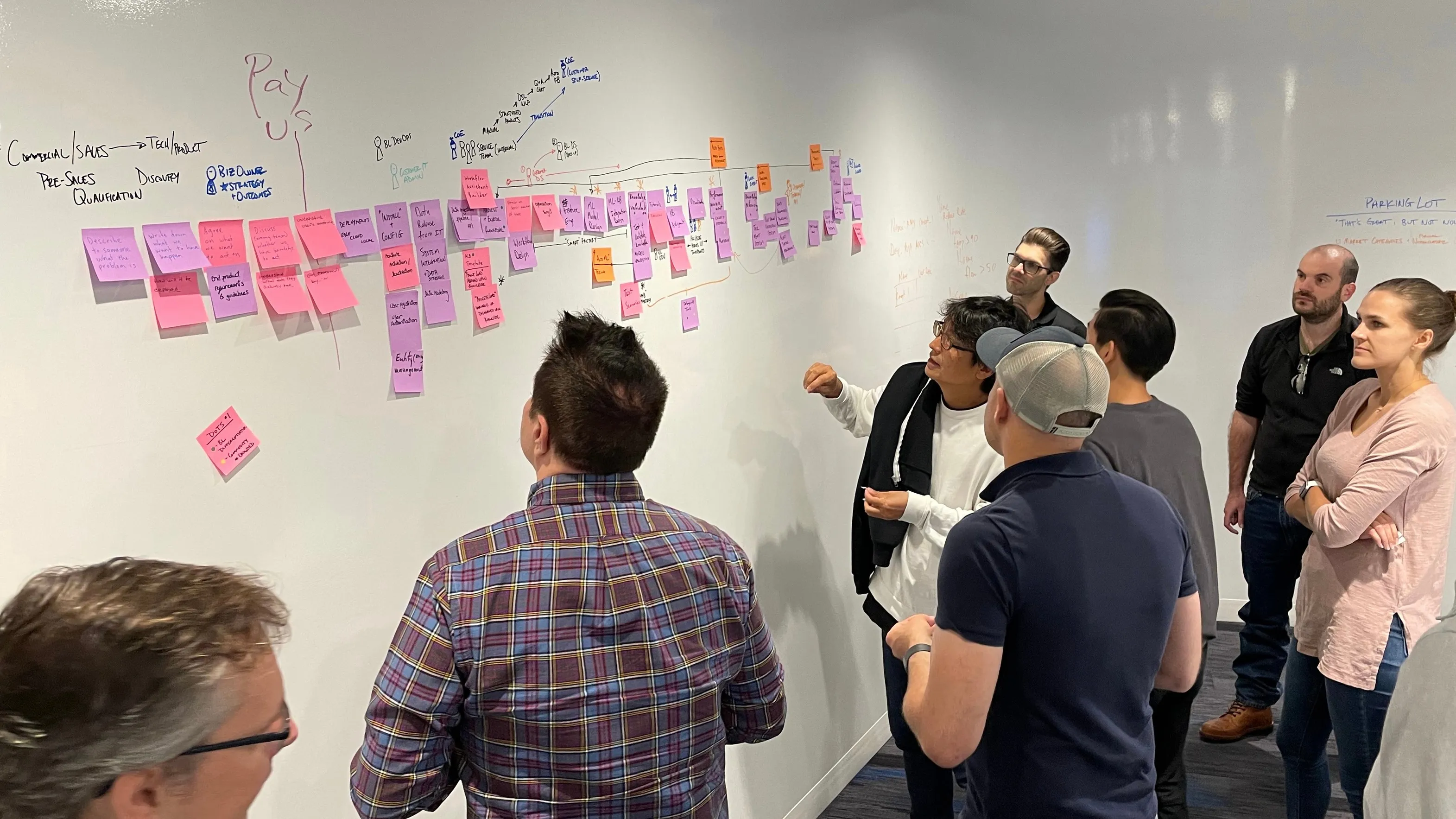
The goals and the two-day agenda for the Glendale workshop in my hand, with the sticky-note legend beside them. The sequence is deliberate: users before journey, journey before MVP, MVP before assignments. The third goal, seeding material for the functional teams, is what made it a working session rather than an offsite. Beside the board, the room at work on the first and second days: colleagues writing stickies at the wall, then the group reading the journey back together, with the tripod and a laptop on a video call in shot.
Data scientists, designers, product team members, and company leadership gathered in Glendale for a multi-day workshop to outline an ambitious program around knowledge management. The product goal was to operationalize Beyond.ai's advanced AI technologies with industrial domain expertise. I orchestrated this session with an agenda of co-creation activities to extract differing views and bring them into alignment across a desired customer journey. We surfaced key engagement points with users of the system and built out a multi-stage research and development roadmap.
The Advanced Alerting concept in one picture, drawn on the first day: a real-time data stream and an expert's rules go into a knowledge base that holds when, what value and what to do, and come out as a notification or an action.
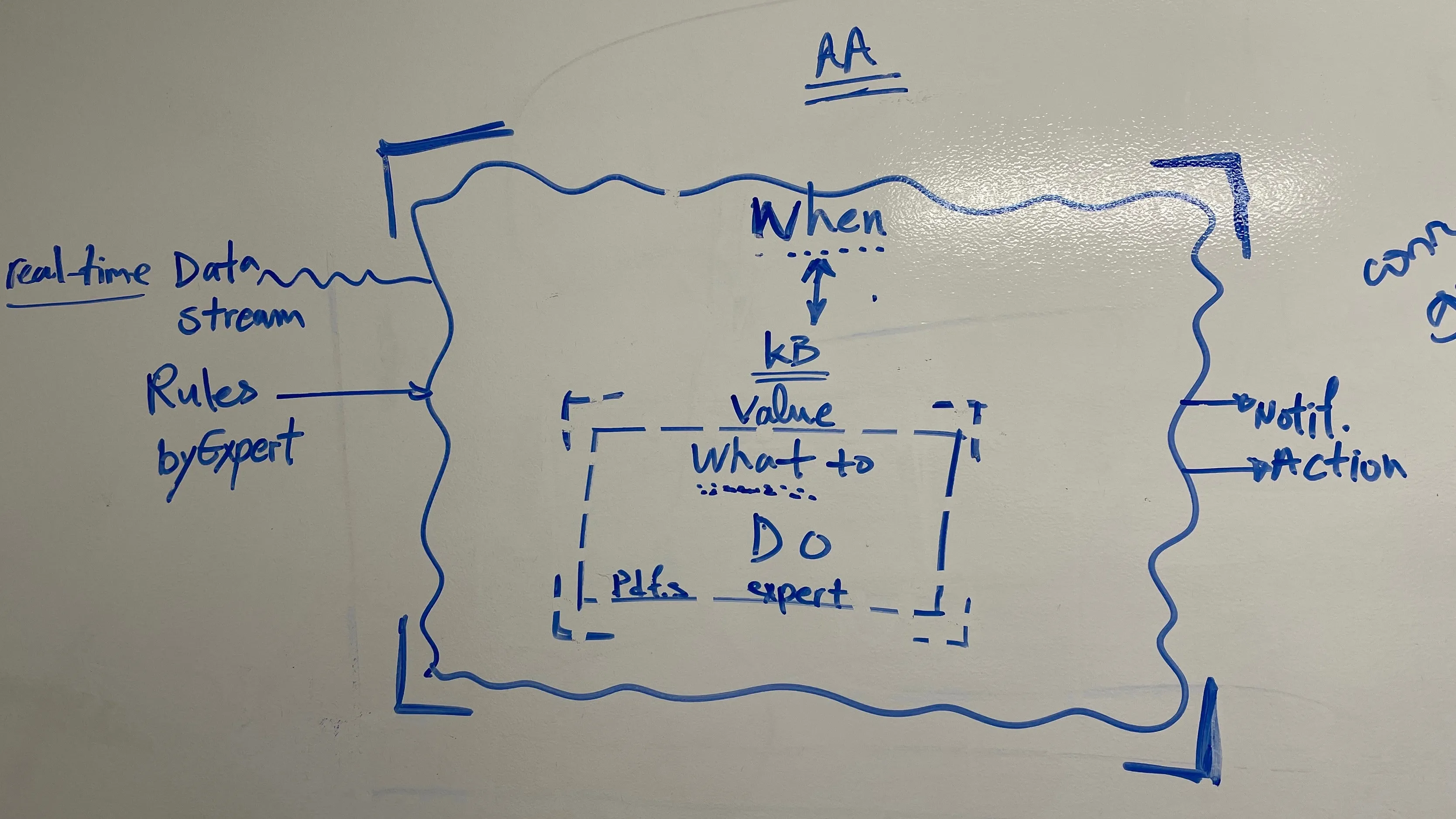
Our activities included persona definitions and situating those personas into our desired customer journey across sales engagement, contracting, on-boarding, operations, issue management, and tracking performance outcomes. With a majority of technical minds, we ran future-facing and empathy inducing activities like newspaper headline creation.
Note: You will see this work referred to as both “KBOps” (knowledge base operations) and “AA” (advanced alerting). These were two product teams converging at this moment.
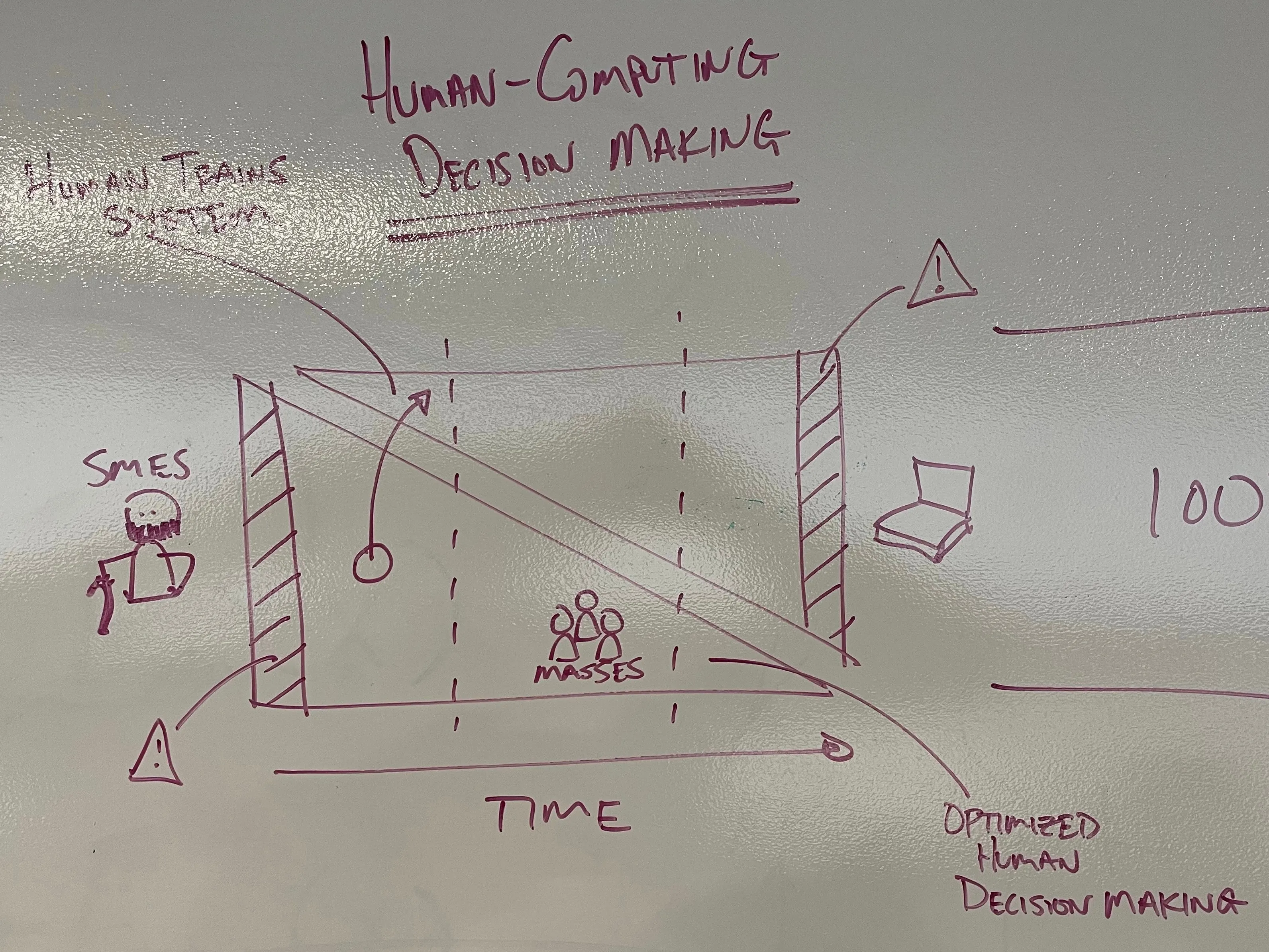
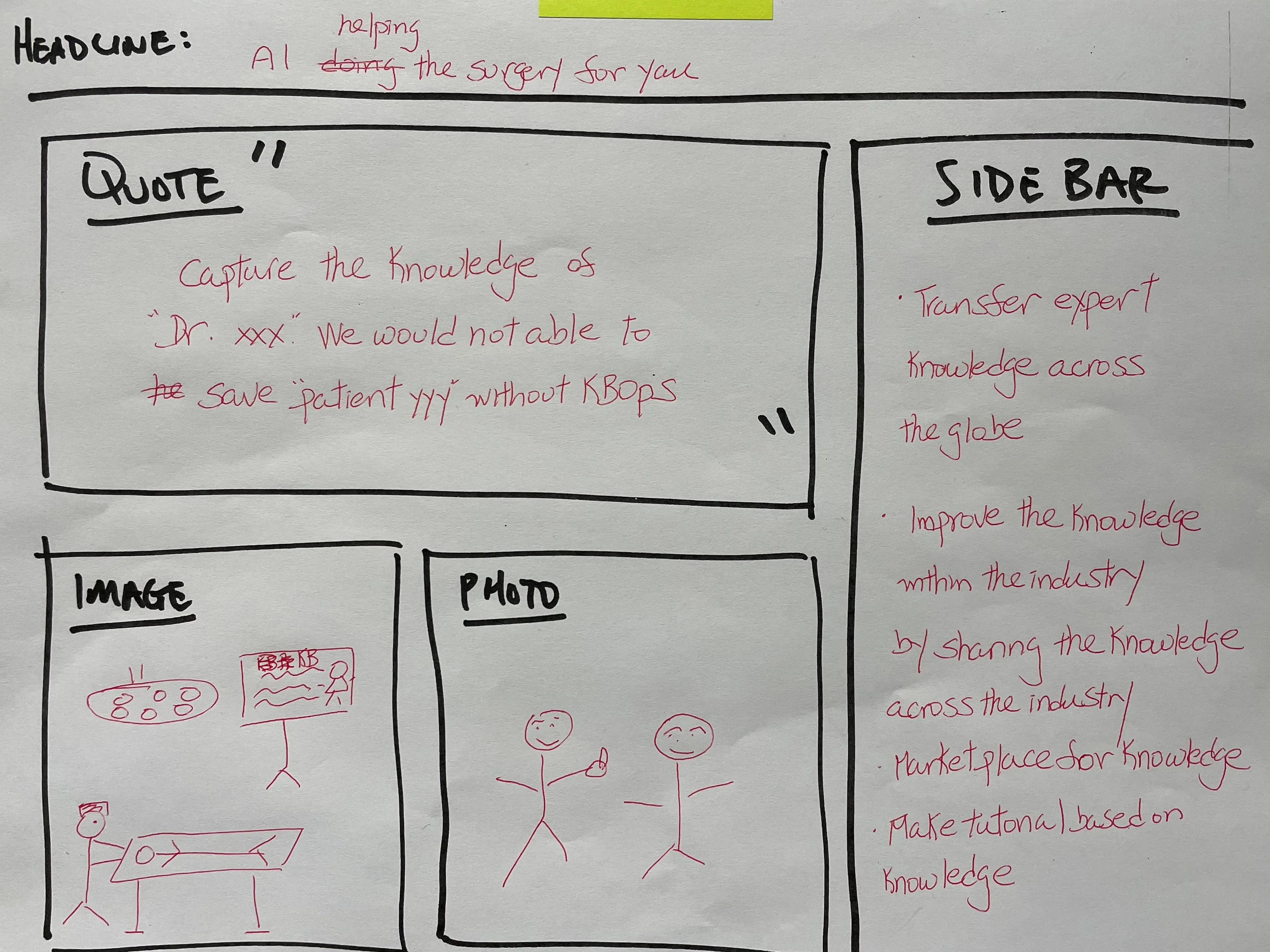
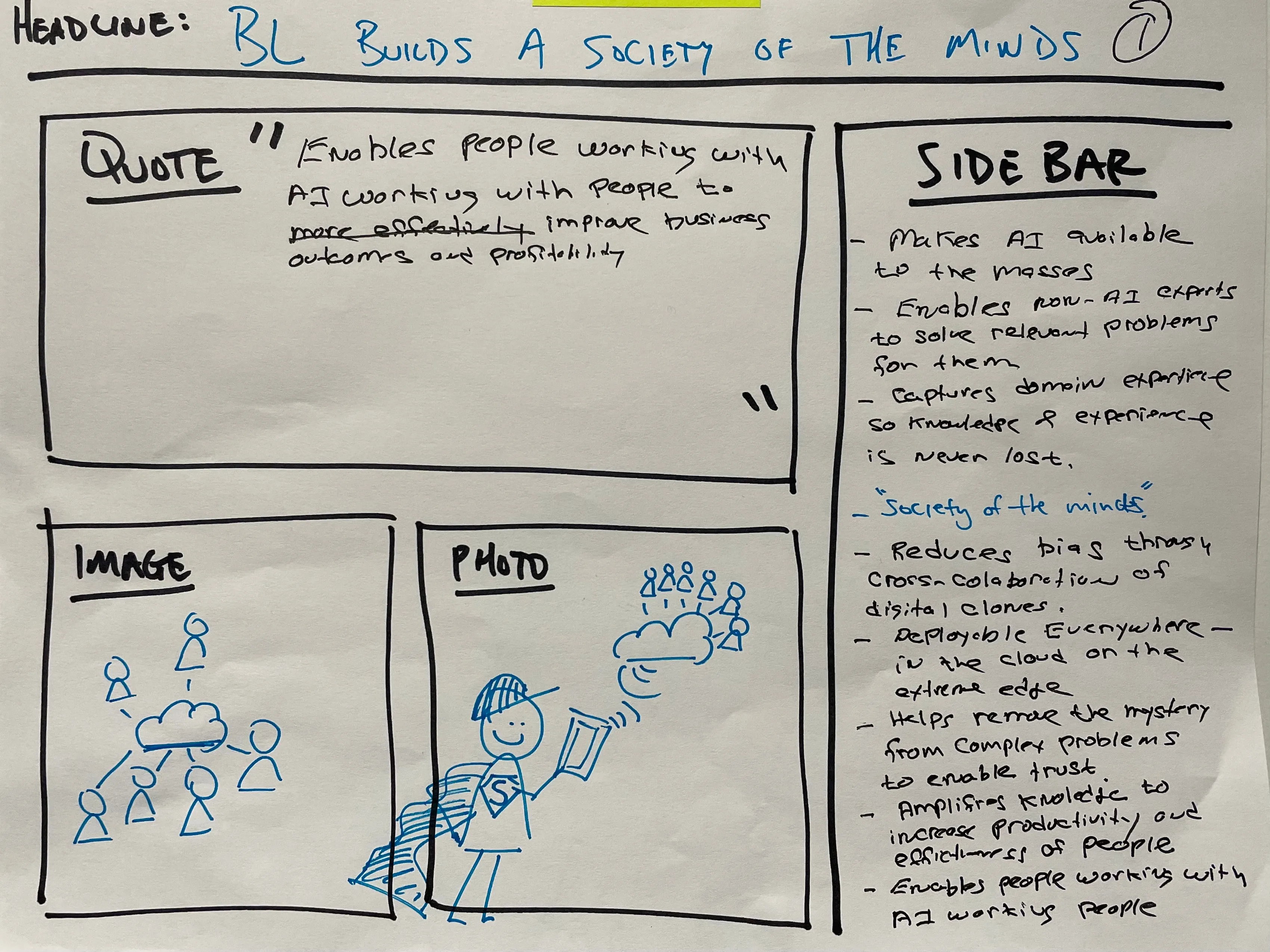
Three boards from the workshop: human and computer decision making plotted over time, from experts training the system to the masses using it, and two future press releases the room filled in during the vision warm-up. Writing the launch story first forces the value claim into a sentence before a feature list can hide it, and one of the sheets is the earliest place the name KBOps appears.
The service journey wall in three framings: the sales and setup stretch with its actor lanes, the middle span marked smart factory with the transition chain above it, and the operational end from procedures taken through outcome validation to offboarding. At this distance the stickies read and the lanes show who does what at each stage.
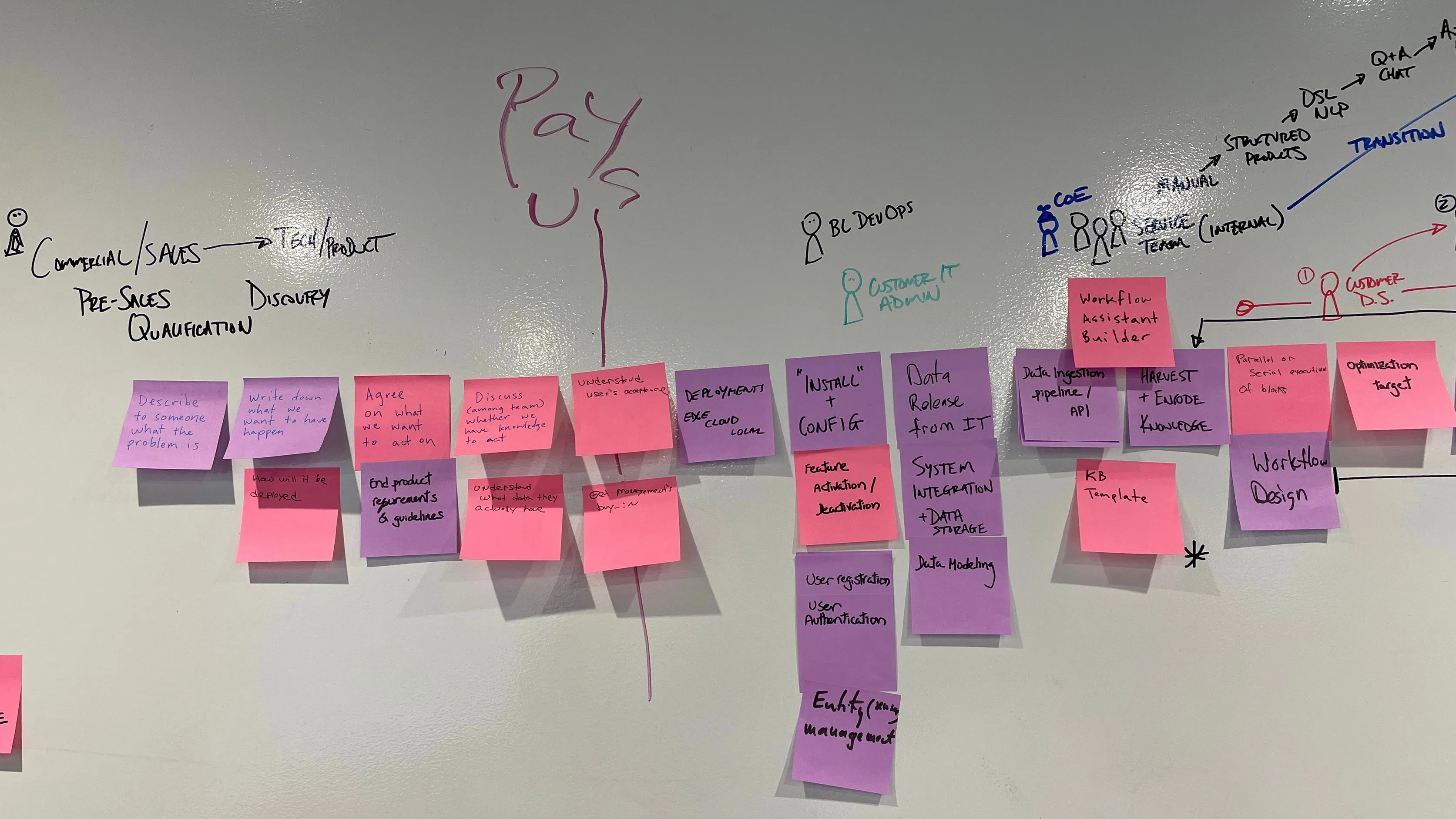
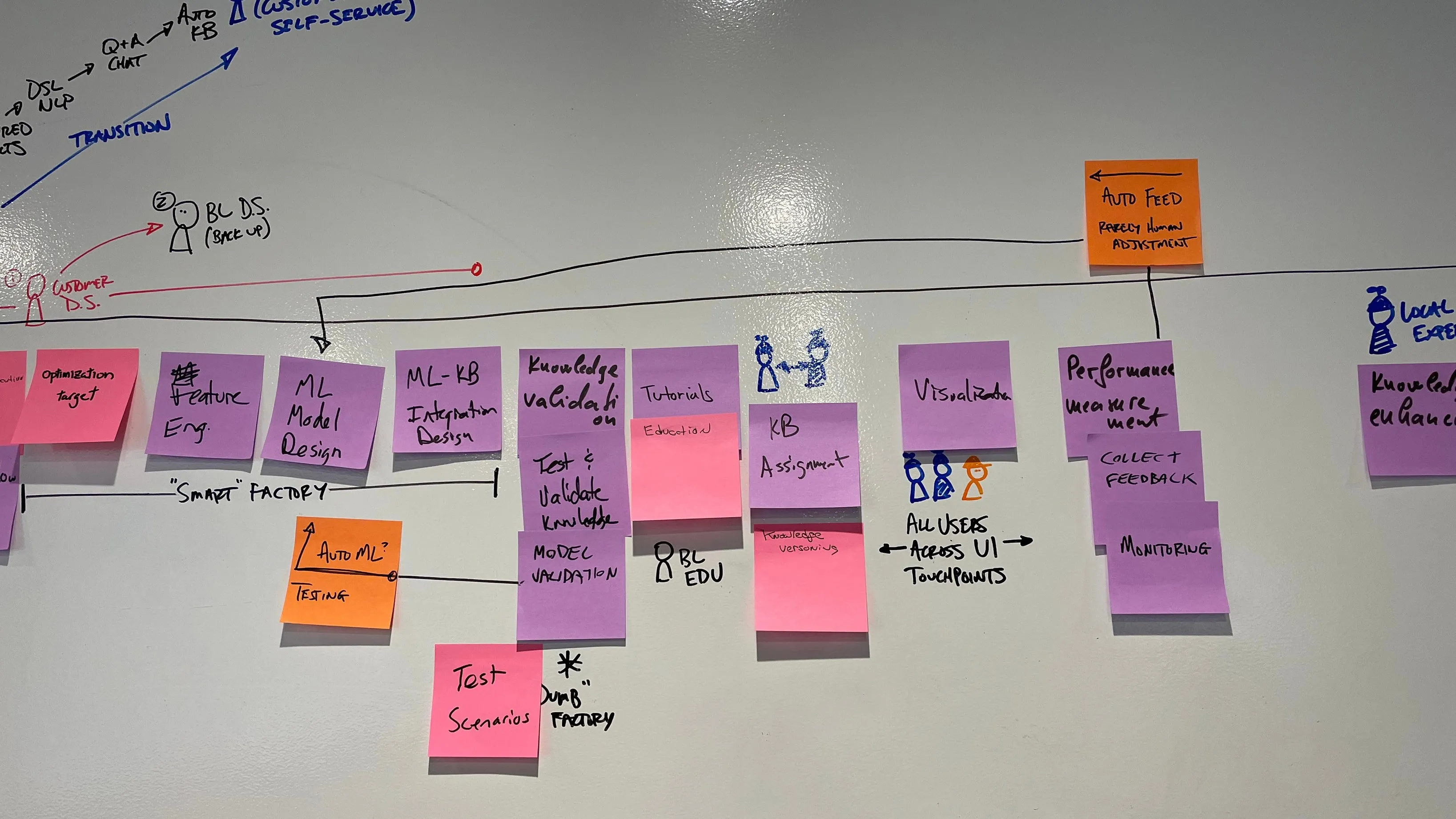
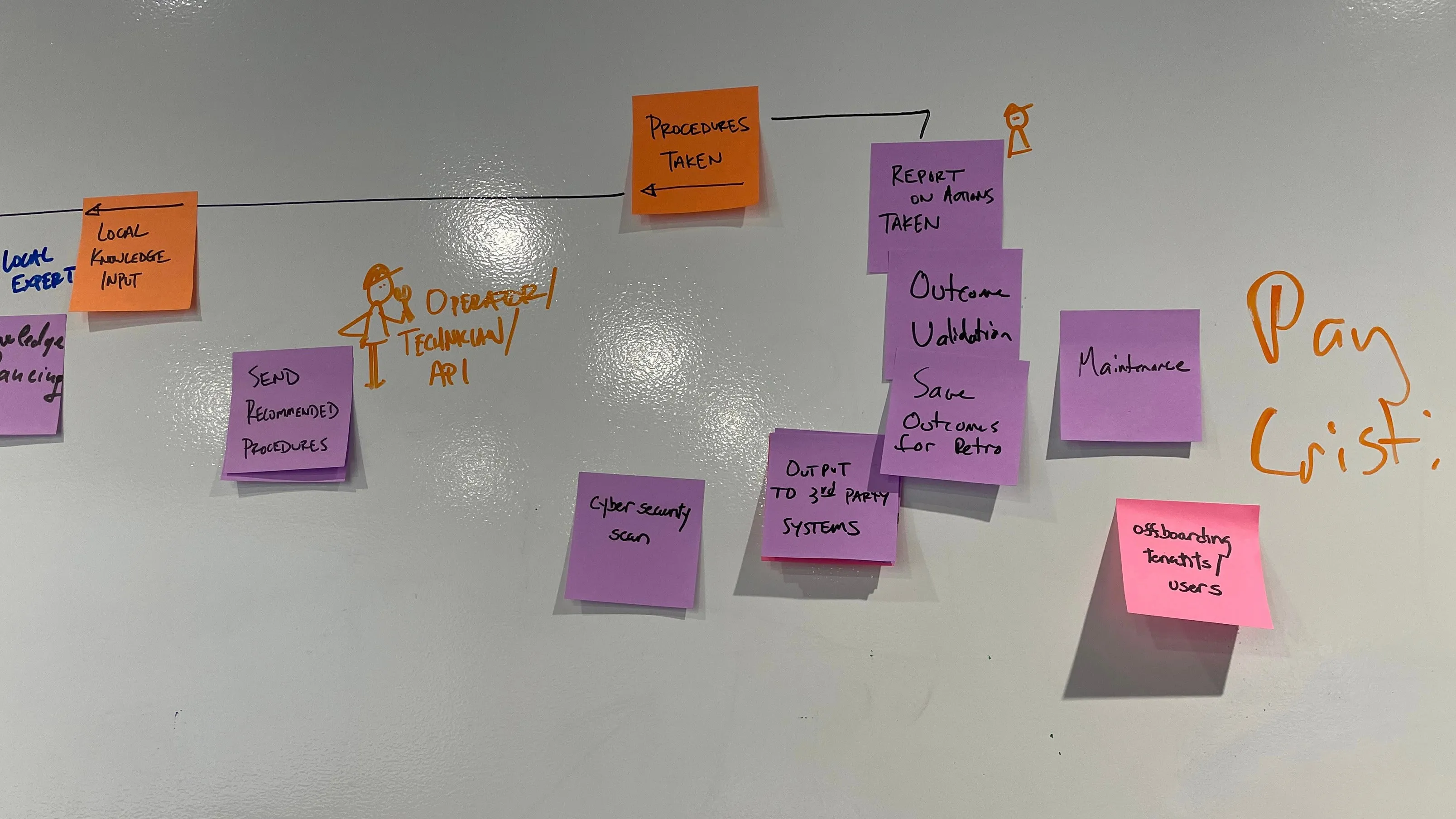
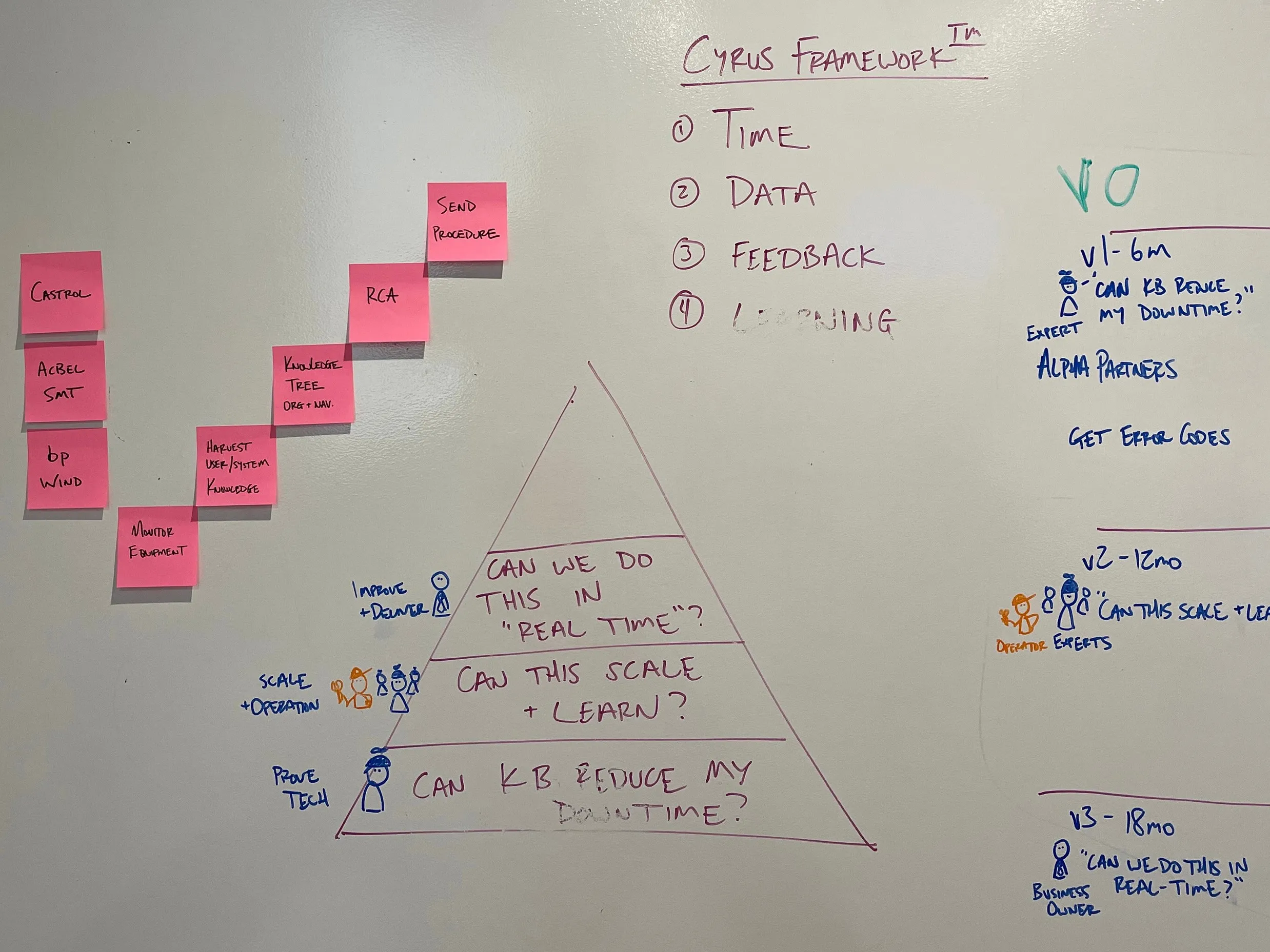
The release ladder in my hand on the second evening. Each horizon is defined by the question it answers and who asks it: the expert at six months, operators at twelve, the business owner at eighteen. The same board carries the capability staircase and the three target accounts, one of which took me to Houston four weeks later.
- V1 – 6mo: Prove the tech. Can KB reduce my downtime? Identify early adopter customers, talk to sales/CoE teams and alpha partners. Get error codes, IT topologies — devices? networks? restrictions?
- V2 – 12mo: Scale and operate. Can this scale + learn? Deeper engagement with operators and experts.
- V3 – 18mo: Improve and deliver. Can we do this in real-time? Ensure business owner is satisfied with resulting metrics and system performance.
Synthesized journey
The July wall synthesized in December as a matrix: three customer tiers over an eleven-stage user journey, from learning about the offering to refining knowledge. The target accounts, the dates and a colleague's framework were stripped out; what stayed is the structure. It names KBOps as the product.
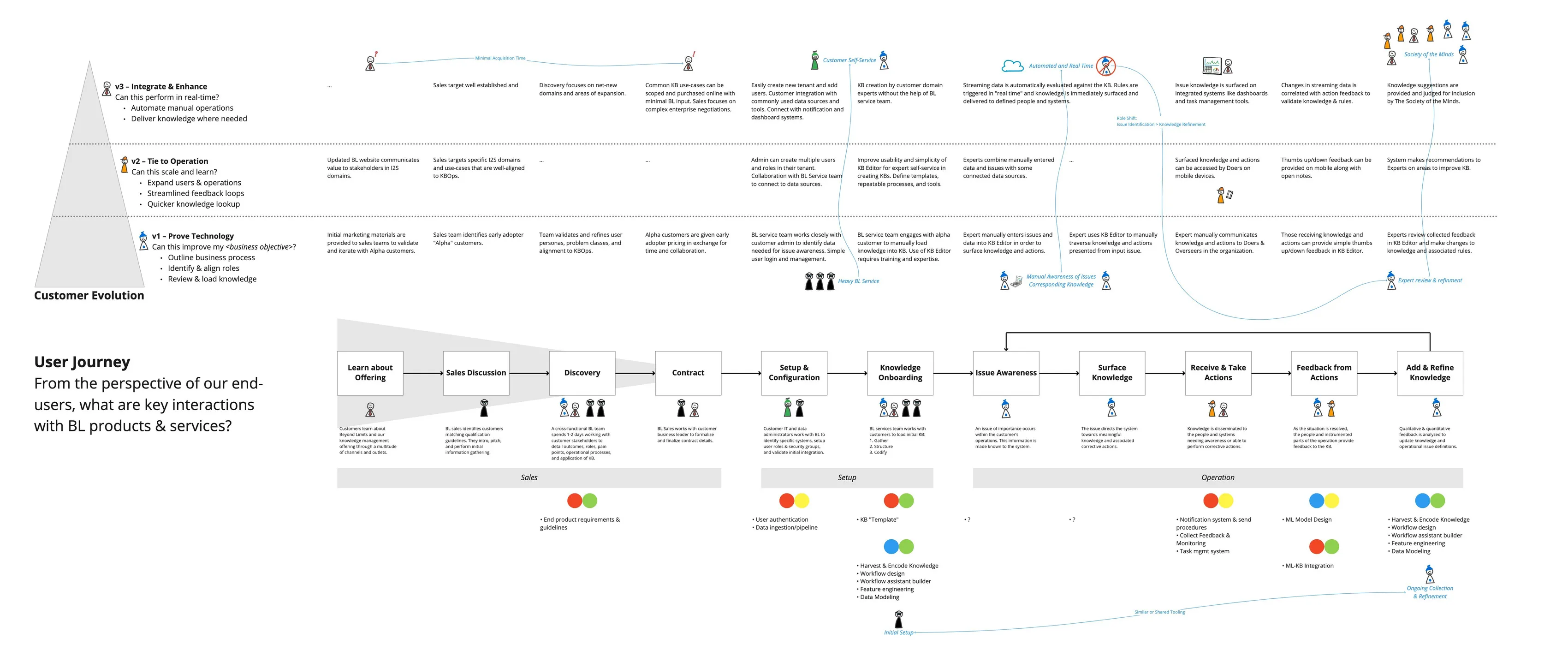
Workshop whiteboard journey was synthesized into a clean map and shared broadly.
Customer validation
Four weeks after bp Wind went on the Glendale wall as a target account, I was in Houston for two days of customer discovery. That engagement is its own project; it is cited here because it is where the product defined in July met its first real users.
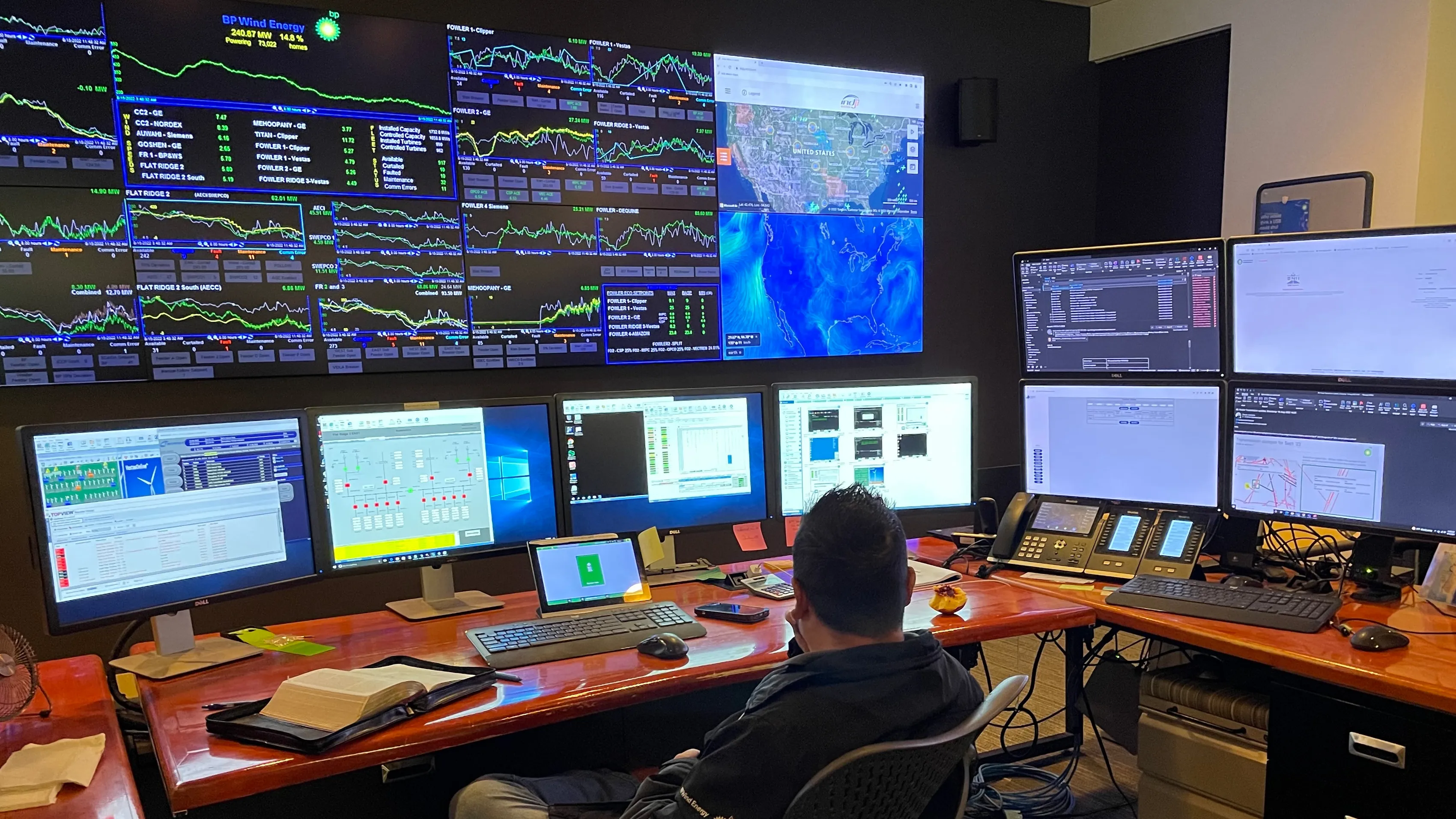
bp Wind
Soon after our workshop, the team flew to Houston to engage with bp's wind energy business. I defined the workshop agenda and goals to understand bp's use-case and alignment to our proposed KBOps ecosystem. Validating with monitoring experts in the context of their turbine control room helped refine the model and move us forward into greater design detail.
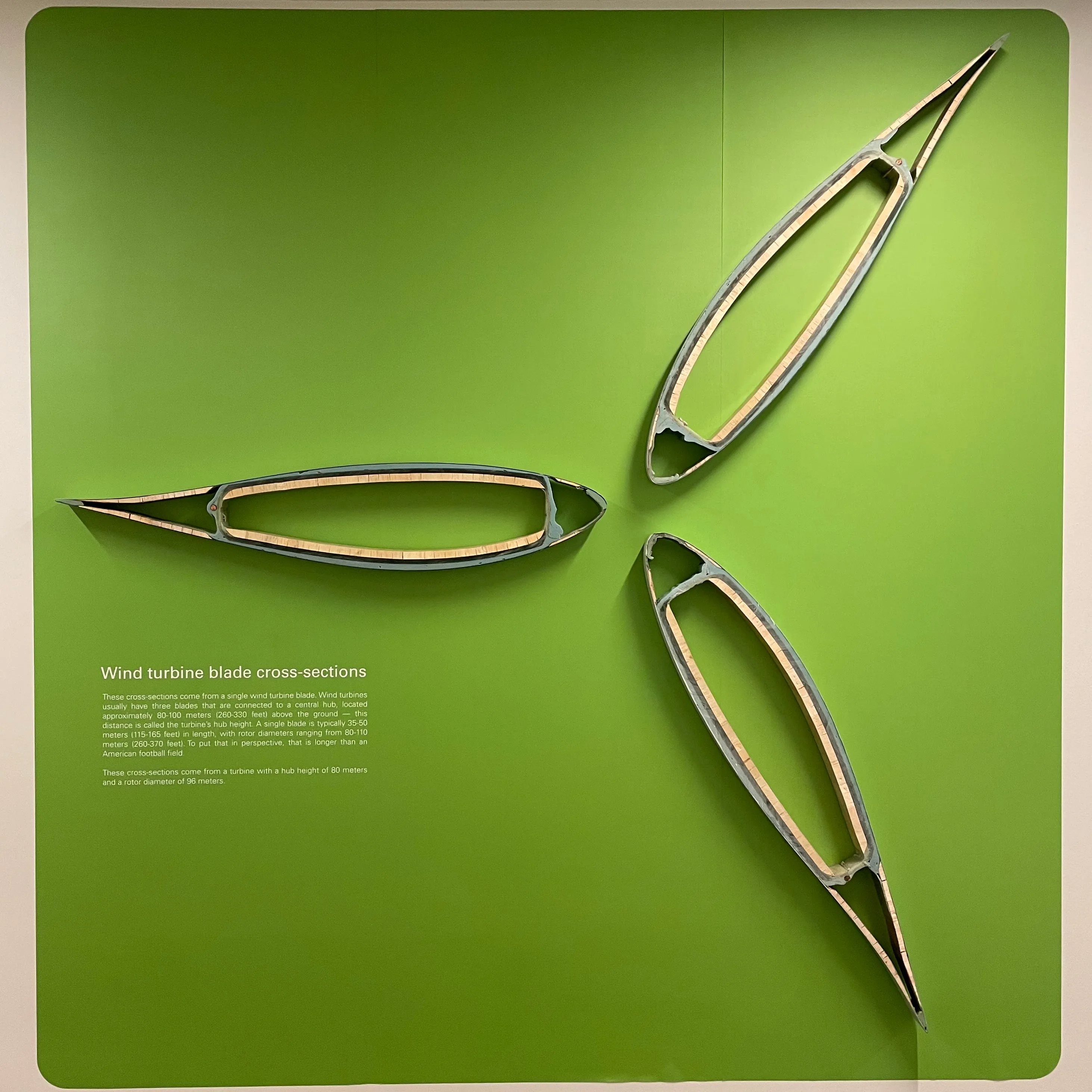
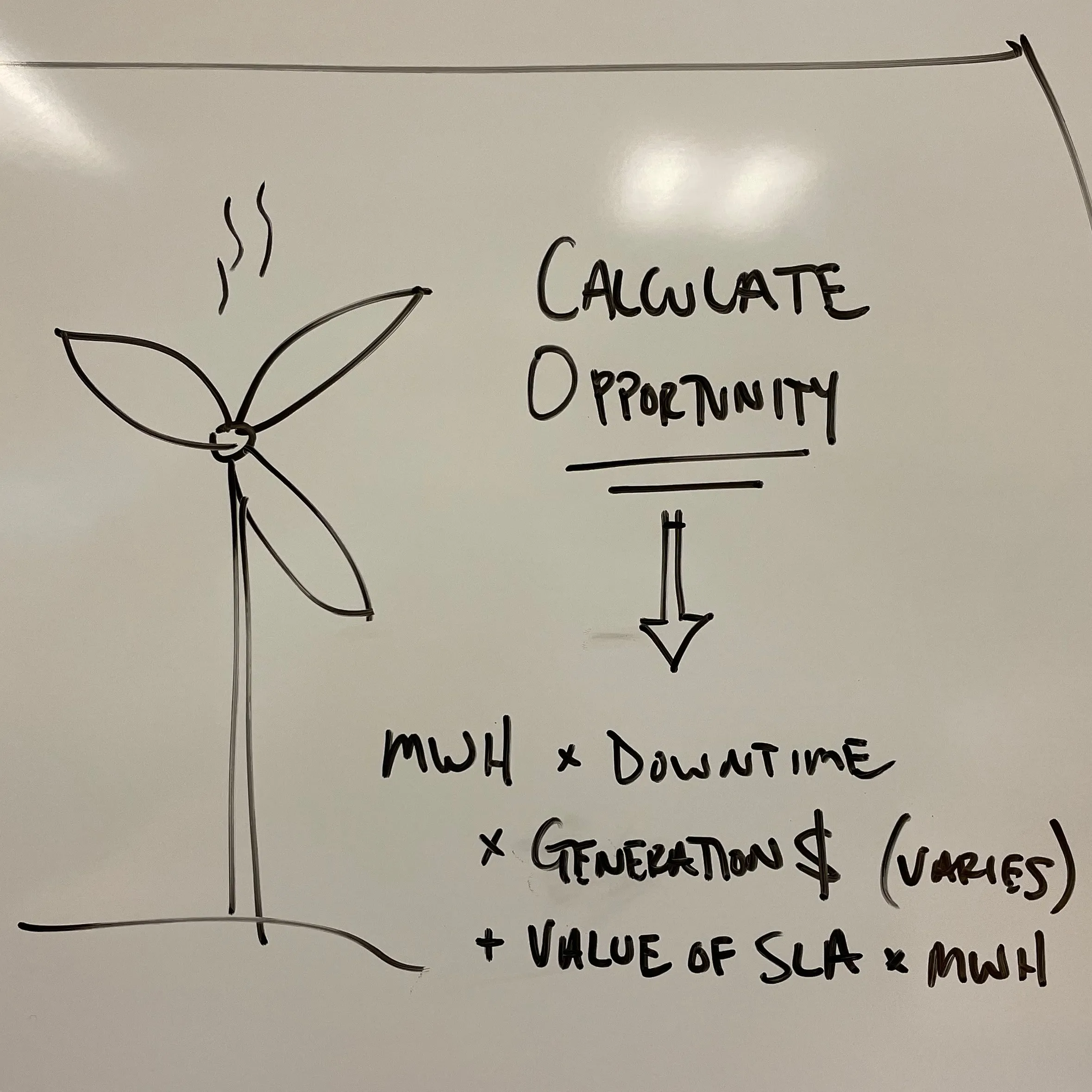
From the visit: wind turbine blade sections on the wall, the agenda and sticky notes at the whiteboard, and the opportunity drawn as a sum, megawatt-hours times downtime times the price of generation, plus the value of the service agreement.
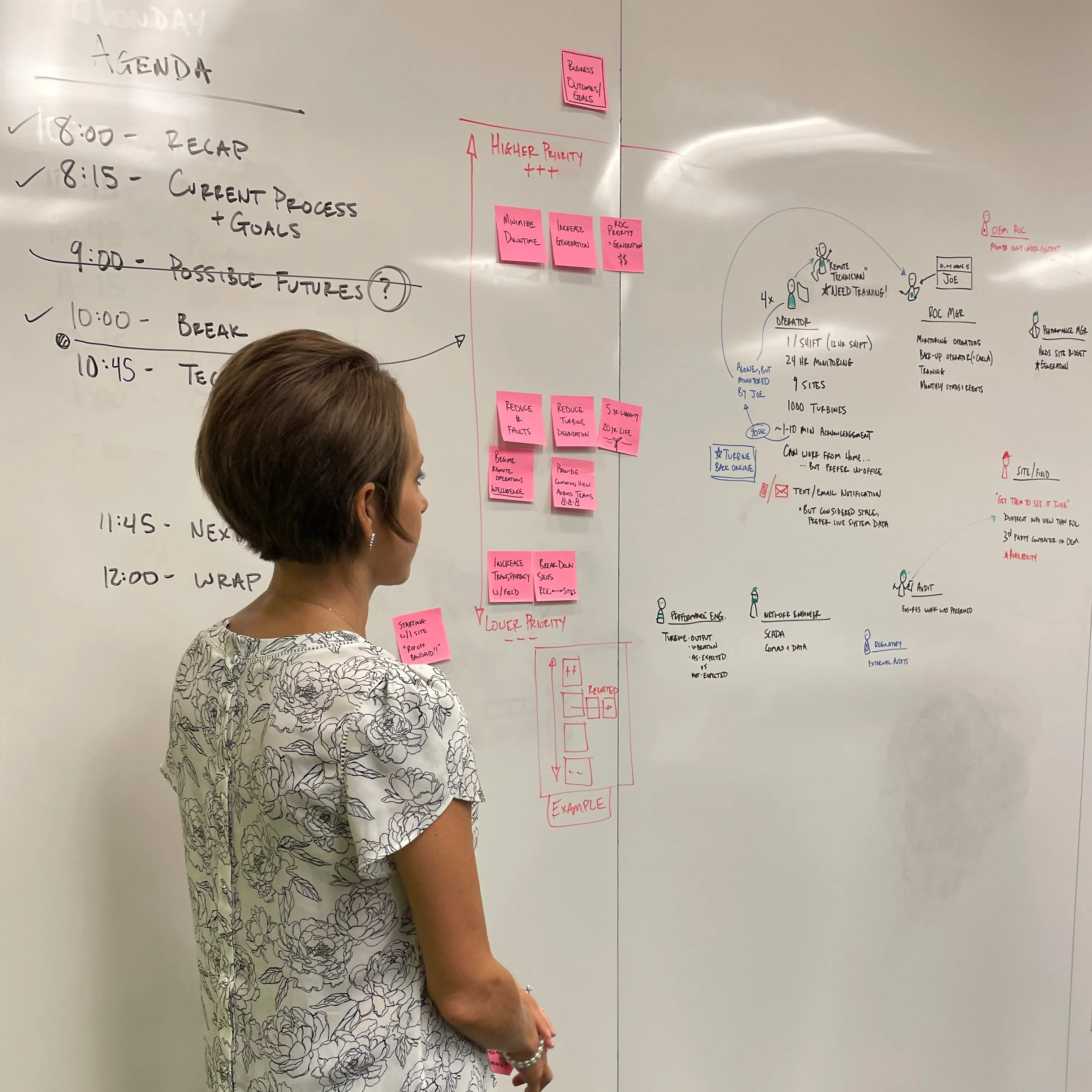
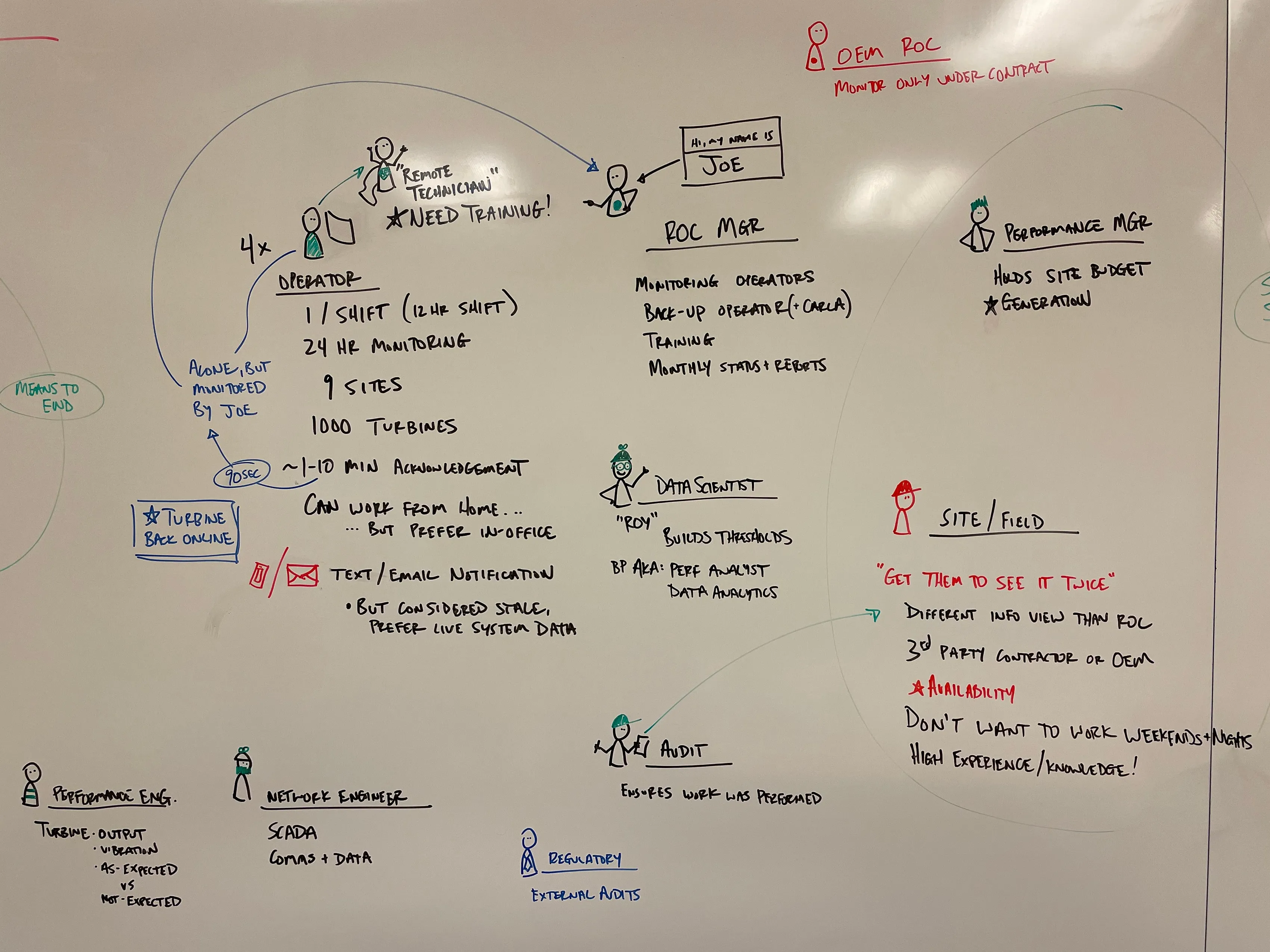
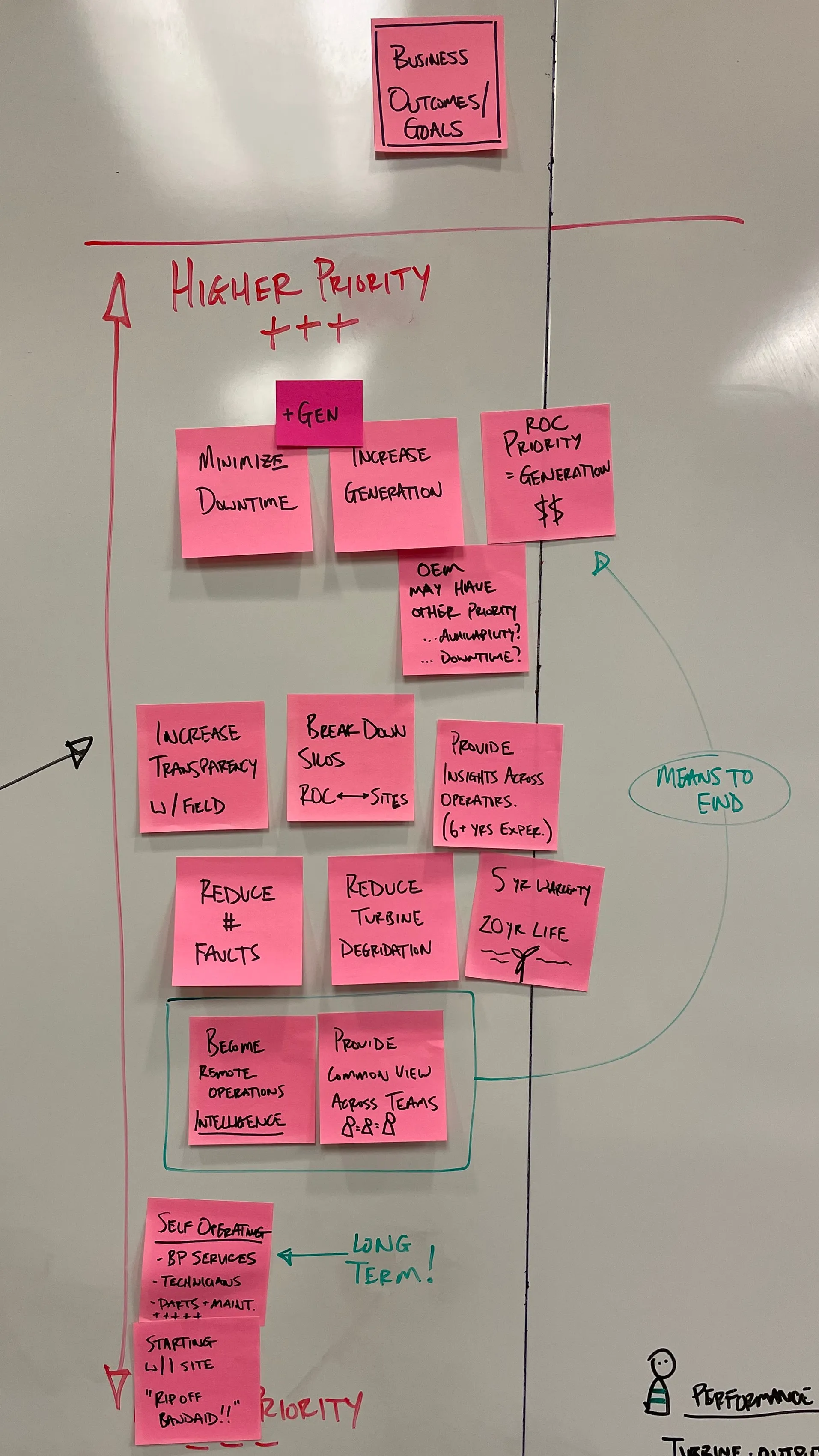
The roles of a wind operation drawn on the whiteboard, beside the customer's priorities in a column of sticky notes: the operator on a shift monitoring nine sites and a thousand turbines, the remote technician, the operations center manager, the data scientist, the site and field crews, the performance manager and the auditor.
The service journey mapped with the customer on two whiteboards: blue, orange and green sticky notes along lines and loops of arrows, with a list of what comes next.
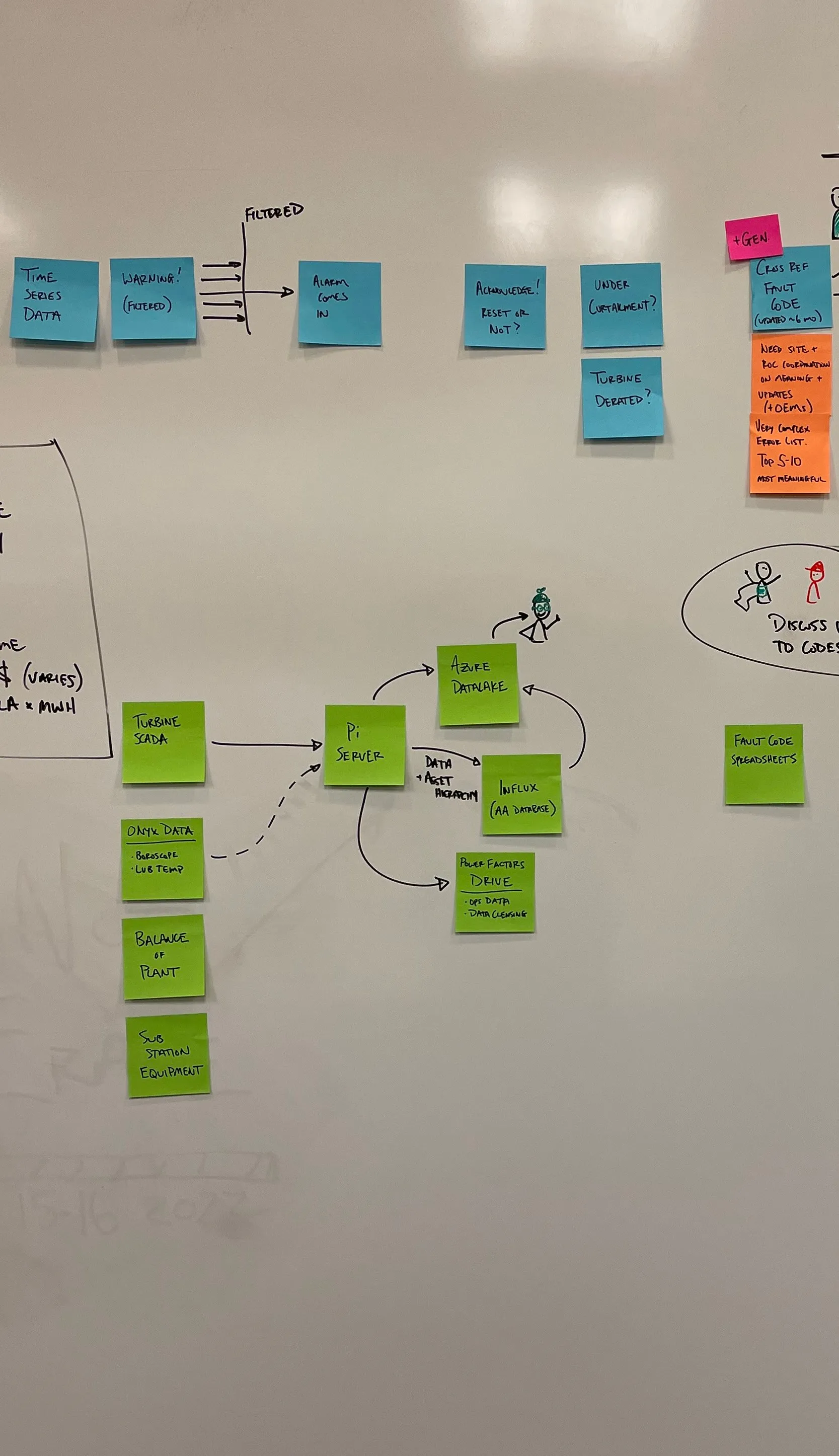
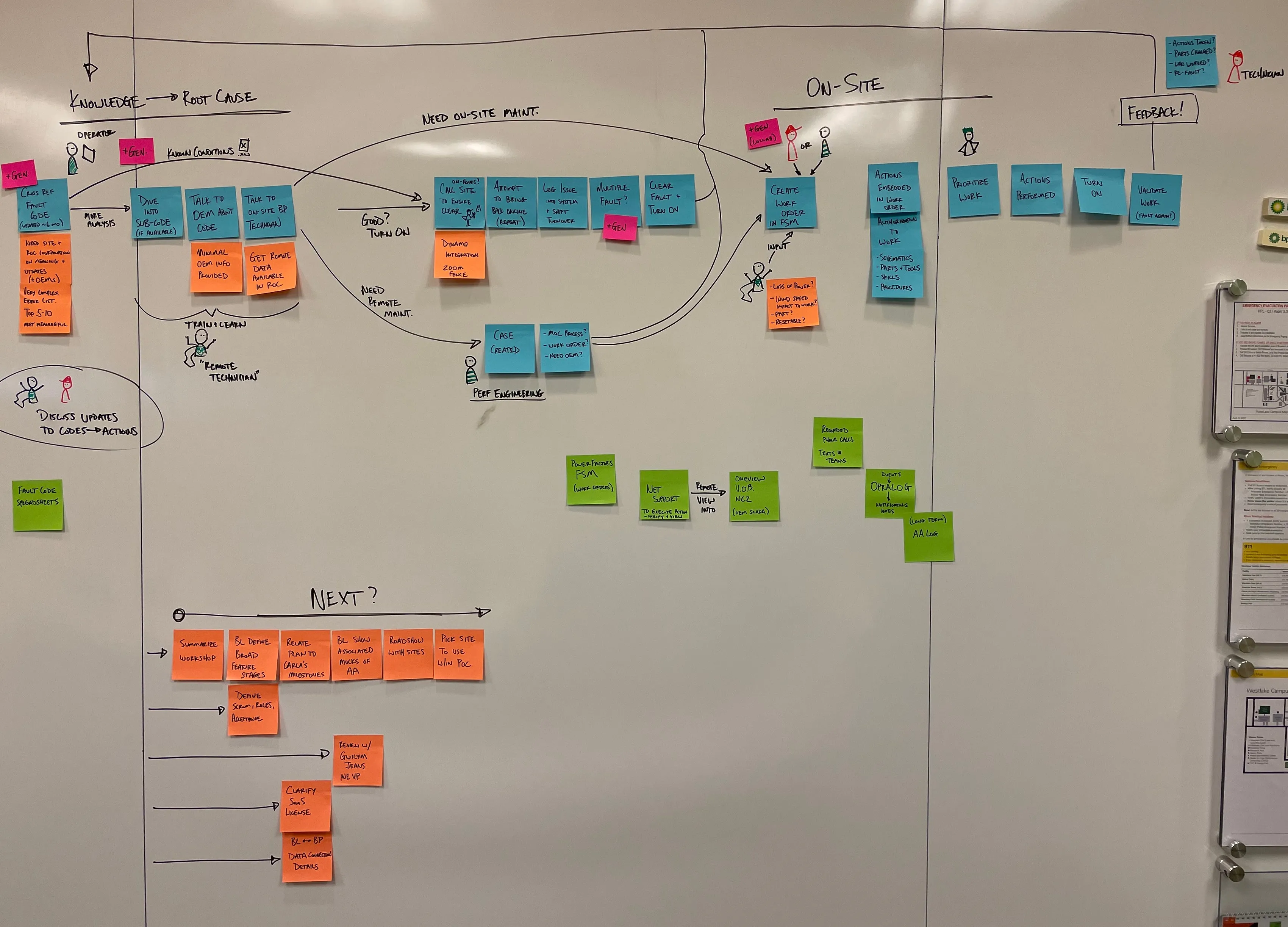
The bp Wind ROC ecosystem map.
What the visit produced: a knowledge loop for wind maintenance, from data sources through normalization, observation, correlation and detection, to a scenario generator, reasoning and knowledge, and a person who decides, with the results fed back.
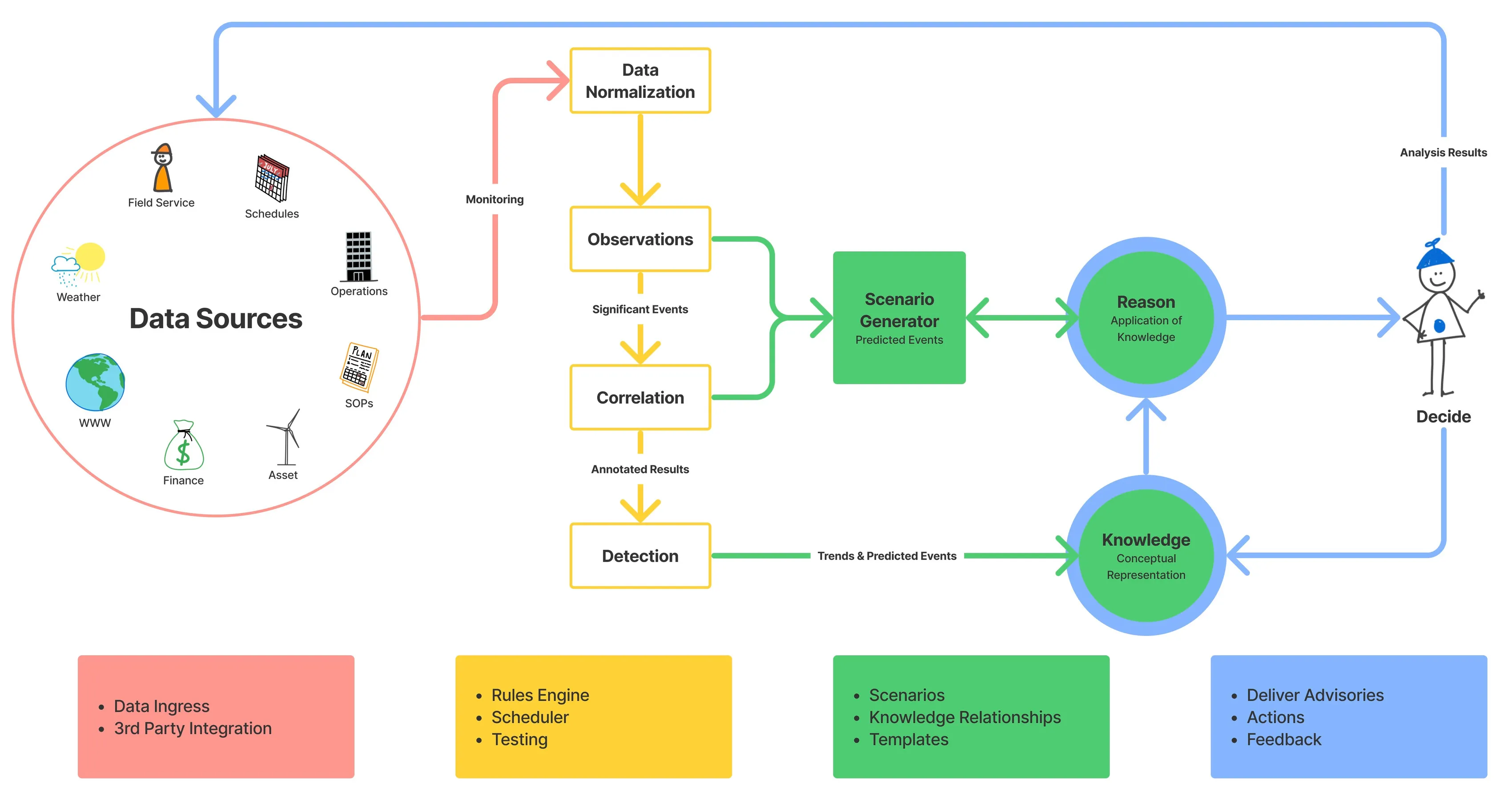
A simplified view of bp's wind turbine maintenance.
Product beneficiaries
The three user types from the primer: the Expert, the Doer and the Overseer. Writing them as industry-agnostic roles let the model hold across any operation, and the same three figures recur on the July workshop walls and the December journey map.
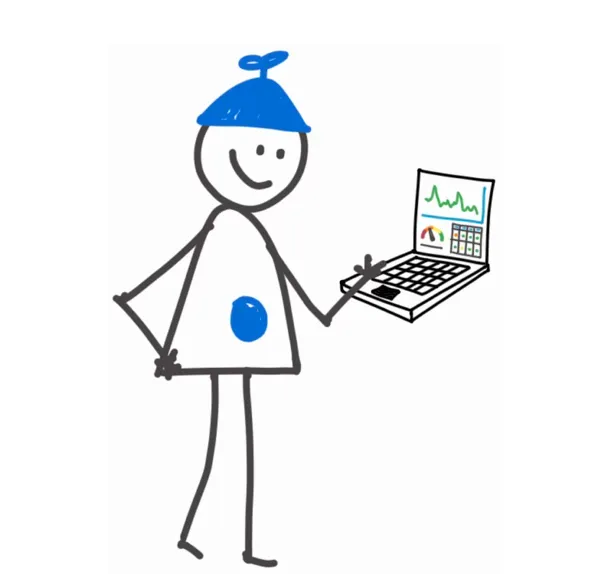
The Expert
These subject matter experts know their operational domain better than anyone. With decades of experience, they provide guidance on processes and technical issues to the business and their peers. Often close to retirement, their organizations are under threat of losing The Expert’s knowledge.
Problems
- Codifying knowledge.
- Collaborating with peers.
- Scaling access to knowledge.
- Receiving feedback & iterating.

The Doer
Doers take action when called upon by the organization. They are on-site and hands-on, performing necessary work while providing “human sensor” feedback into the system. The Doer’s industrial street-smarts complement the The Expert’s book-smarts to refine processes and associated actions.
Problems
- Access to best practices.
- Knowing task priority & urgency.
- Contributing field insights.

The Overseer
Overseer’s are accountable for the overall business outcome and performance of the organization. They receive situational status updates and create broad plans to improve aspects of the operation. Overseers work with Experts to translate their plans into codified processes and actions.
Problems
- Connecting strategy to tactics.
- Managing information overload.
- Keeping pulse on operations.
Operational model
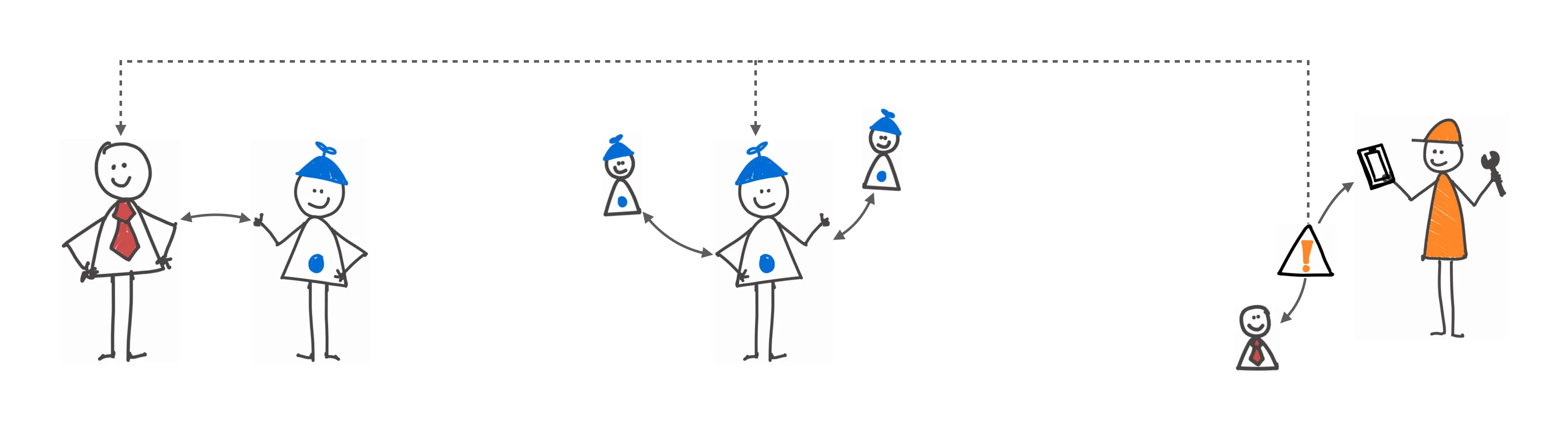
How the three roles meet around a concept: overseers and experts plan together, experts codify and review their work with colleagues, alerts reach the doer and others, and each trigger's feedback loops back into planning.
Iterating
Each trigger records situational data and action feedback to inform planning and refine rule definitions.
Planning
Overseers and Experts collaborate on translating business direction into operational processes that meet performance expectations.
Codifying
Experts associate data streams and write expressions to trigger under conditions. They test and review their work with expert colleagues.
Alerting
Individuals receive notifications when triggered. Doers perform associated actions while others are made aware of the situation.
Key ideas
The operational model card by card: the concept whole, then its data, its trigger and its action, built up in turn, each with its definition beneath. A concept is data plus trigger plus action, the shared nouns the company used before the product was debated.
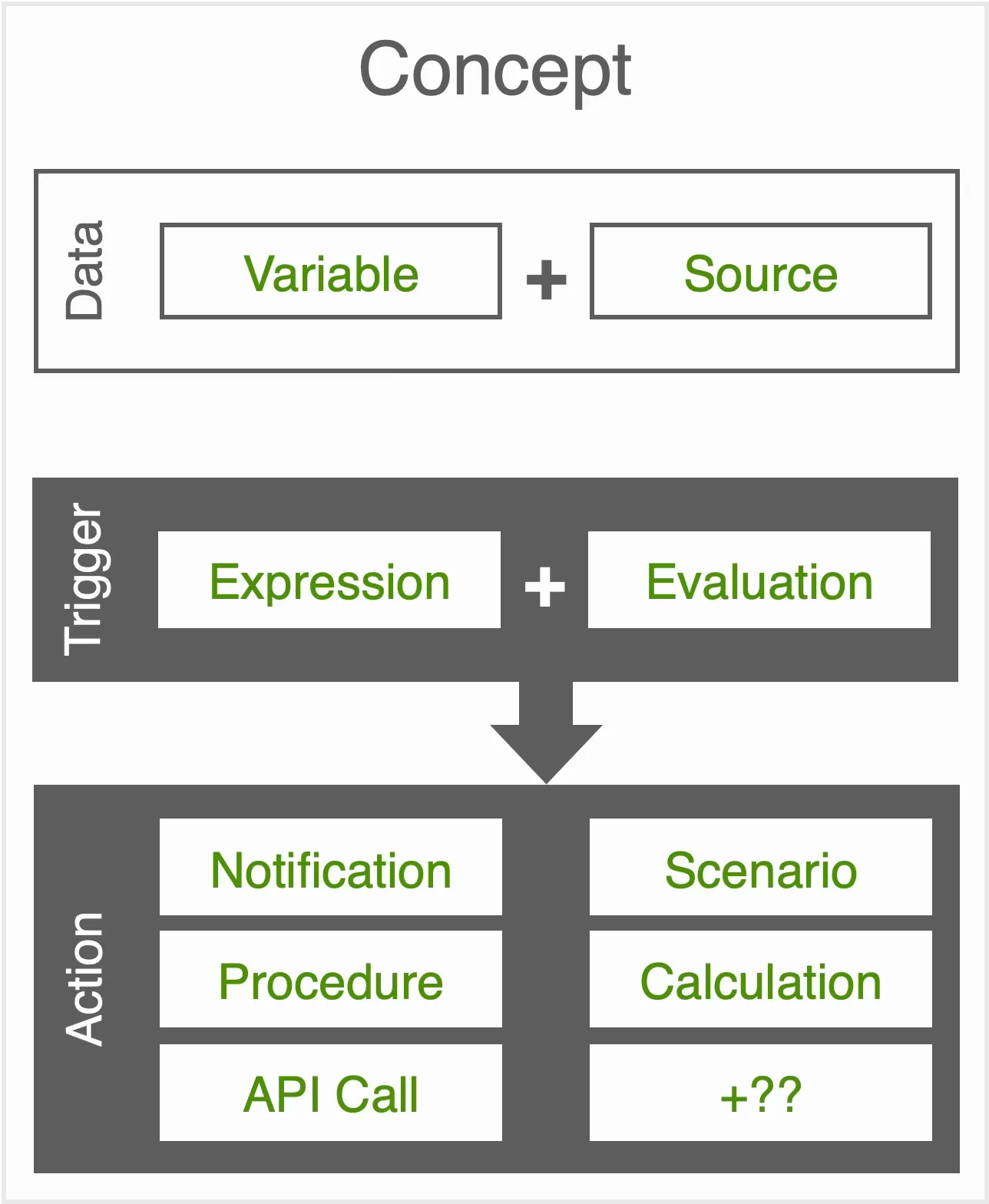
Concept
A concept is the logical container for objects. Within Advanced Alerting, a concept is the file that an Expert creates, edits, and manages. A concept is able to exist as a “concept template”, with generic or temporary values until it is populated with active values as a “concept instance”.
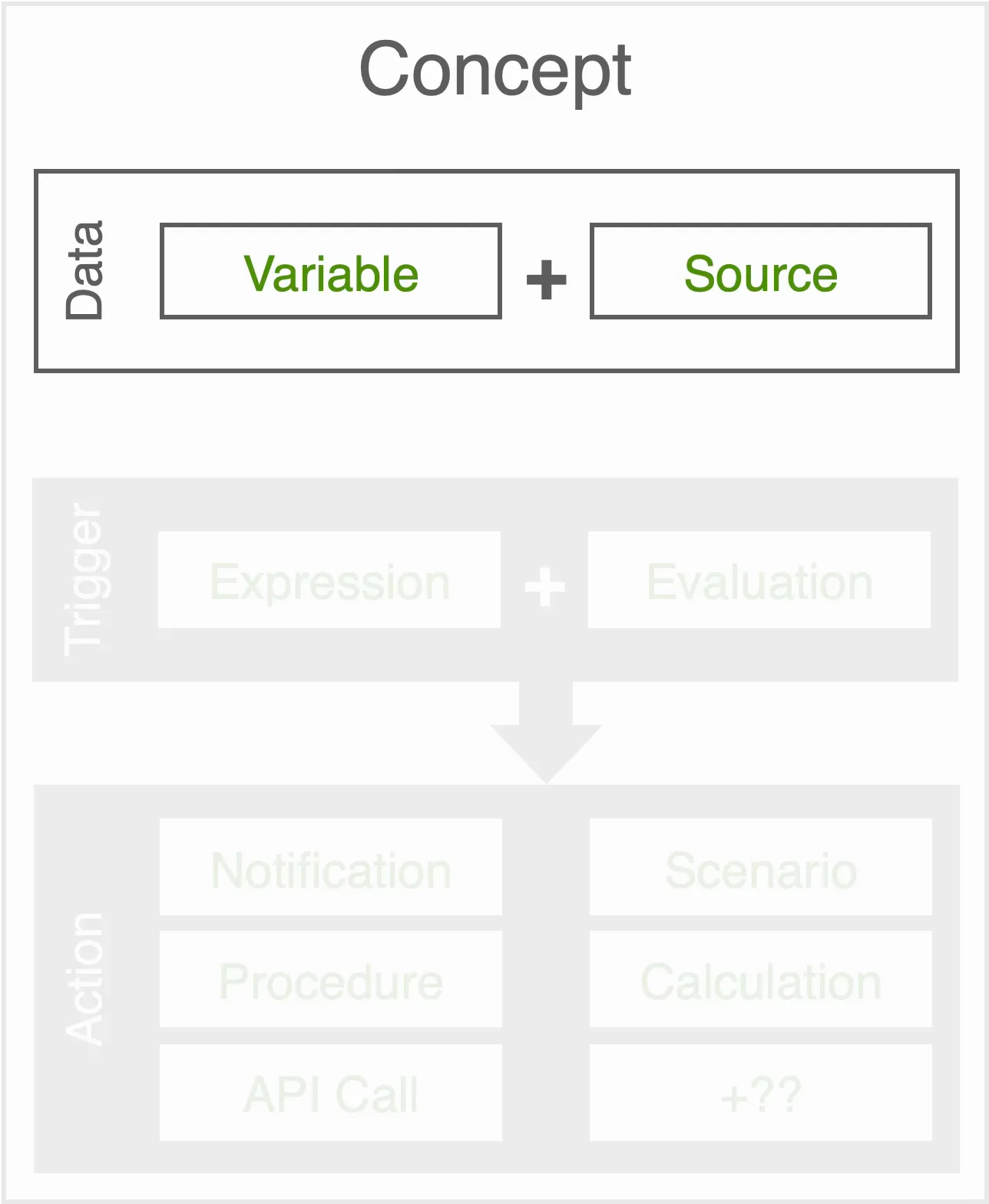
Data
“Which information is important?”
Connection to data sources are established for use across the concept. These connections are stored and represented in variables to simplify authoring.
Variable: A plain-language term representing the current value of a connected data source.
Source: The location a streaming data point, typically time series or event data.
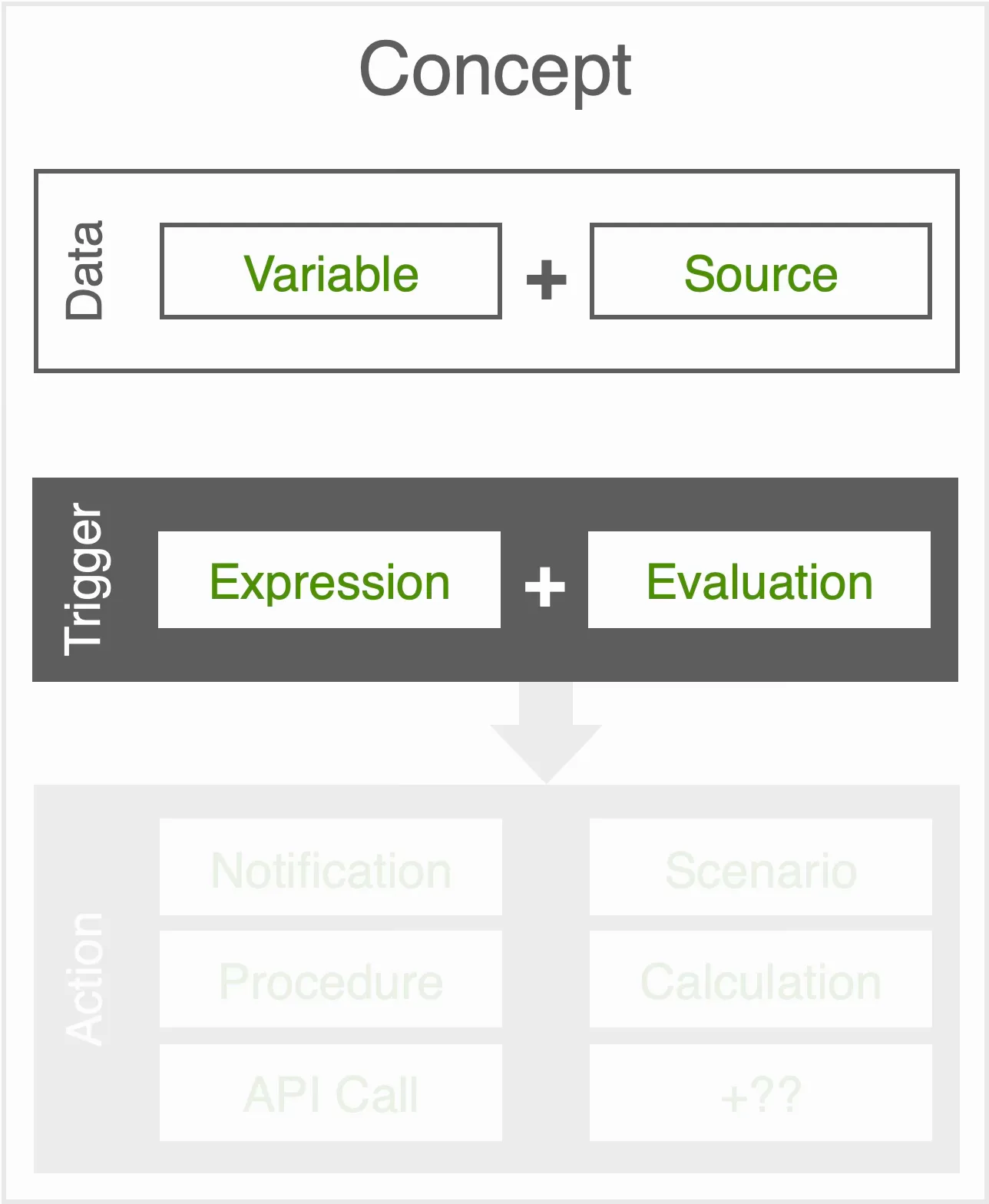
Trigger
“When should action be taken?”
The trigger defines the circumstances under which actions should be taken. Both components are required for the concept to be valid.
Expression: Expressions calculate as true or false based and optionally derive a stored value.
Evaluation: Expressions are evaluated on a set schedule or a variable value change.
Action
“What needs to be done?”
One or more Actions are carried out when the Trigger evaluates as true.
Notification: Send a message.
Procedure: Perform a set of best practices.
Scenario: Situational data purposeful to the concept.
Calculation: Store variable data as a value for elsewhere.
API Call: Connect to an external system.
A worked example: a newspaper printer. The Overseer's goal and The Expert's rule of thumb become a concept's data and trigger: humidity, forecast, speed and job variables linked to their sources, an expression on humidity and speed, evaluated every 30 minutes.
The Overseer sets his newspaper business goals and communicates to The Expert.
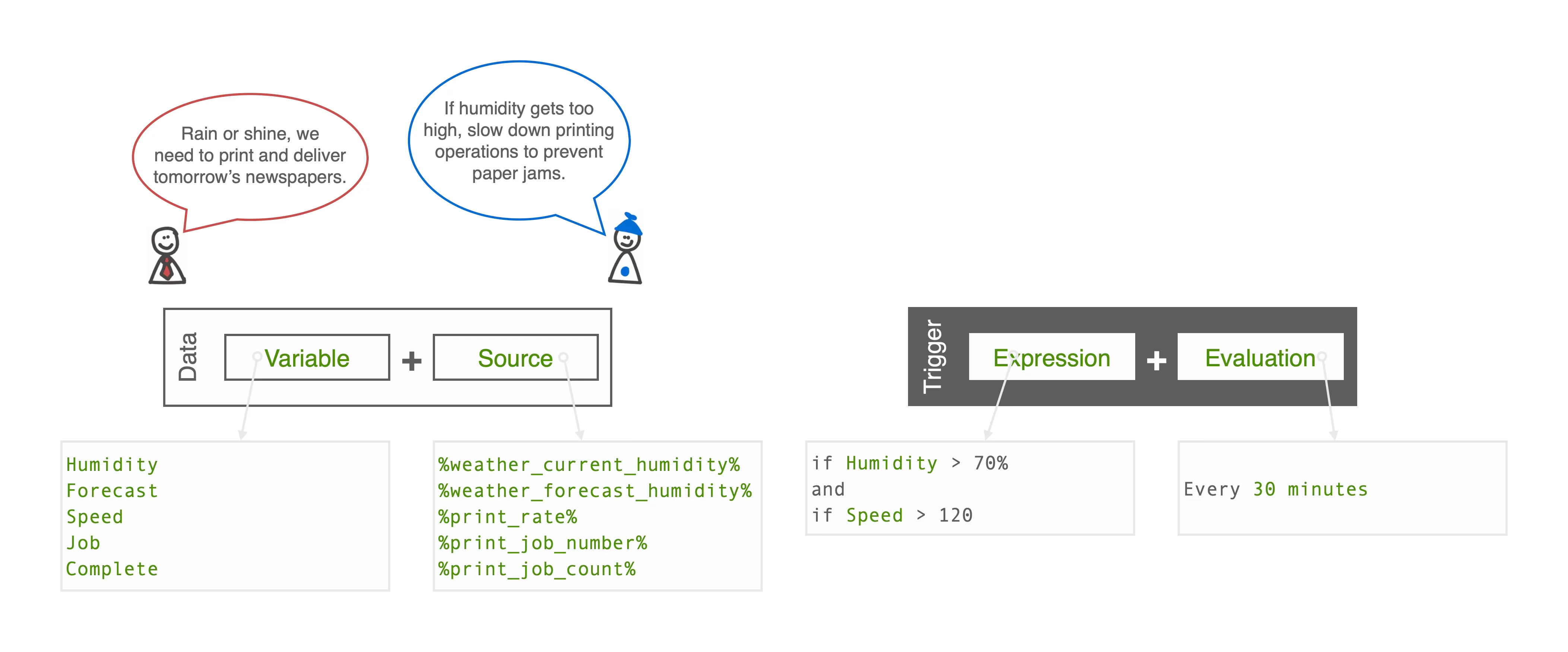
The Expert defines variables “Humidity” and “Speed” as critical parameters. These are linked to streaming weather and machine control data sources.
The Expert defines variables “Humidity” and “Speed” as critical parameters. These are linked to streaming weather and machine control data sources.
A simple rule is created based on The Expert’s familiarity with paper’s response to humidity and the printing machine’s operating speeds.
The evaluation is set to reconsider the rule with current data every 30 minutes.
The example's actions: Jim the overseer and Pat the doer to notify, three procedures for the production floor, and three scenario values to record, the forecast, the job and the count complete.
The Expert adds the necessary Actions to occur if the Trigger condition becomes true.
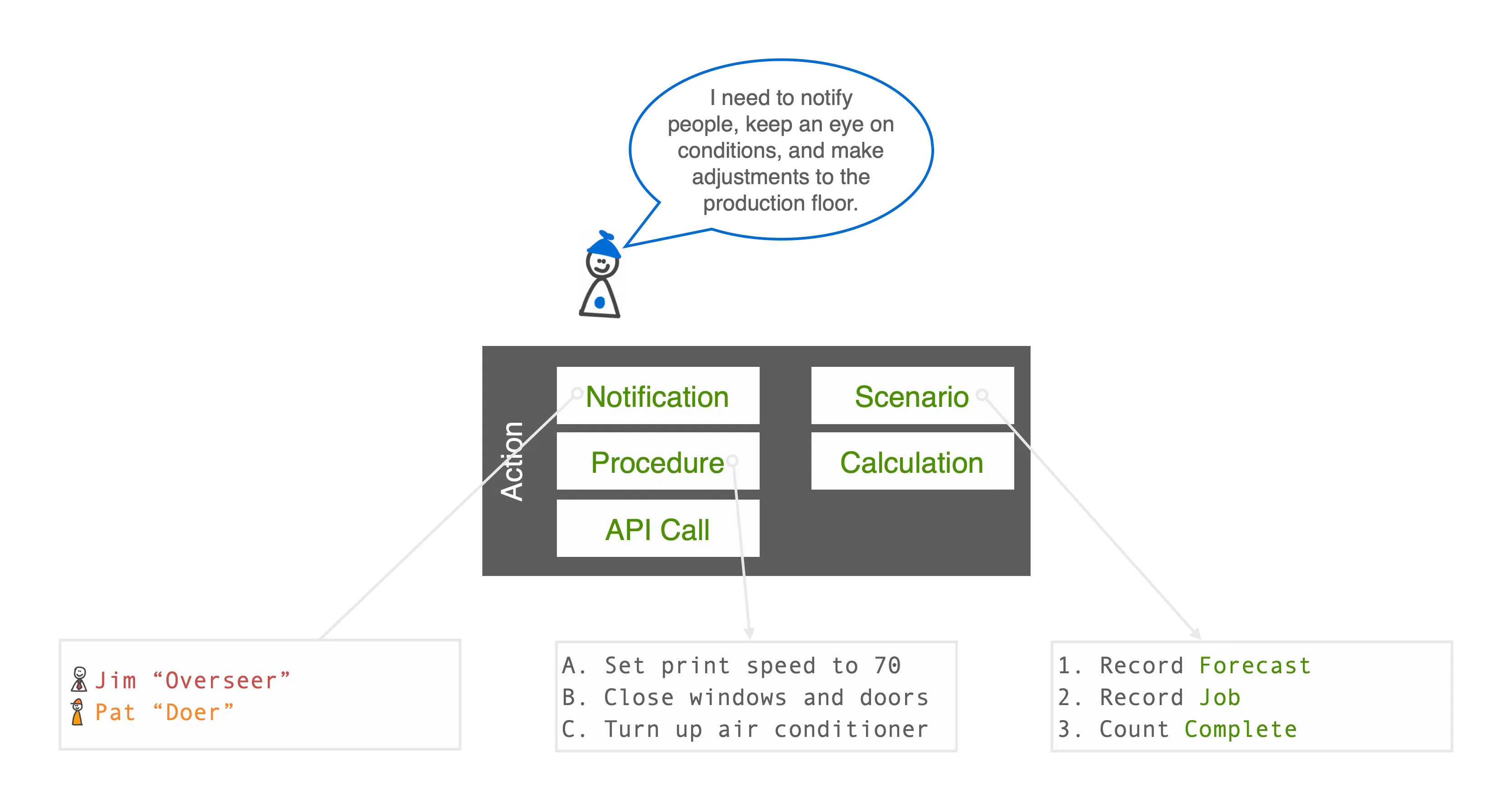
Pat is the technician responsible for the production floor. She will need handle the recommended procedures. Jim wants to be aware of changes to tomorrow’s delivery.
A list of best practice procedures guides The Doer towards the correcting the situation outlined in the concept.
The Expert notes a number of scenario parameters to assess. The forecast, which job is being printed, and an ongoing count of pieces completed.
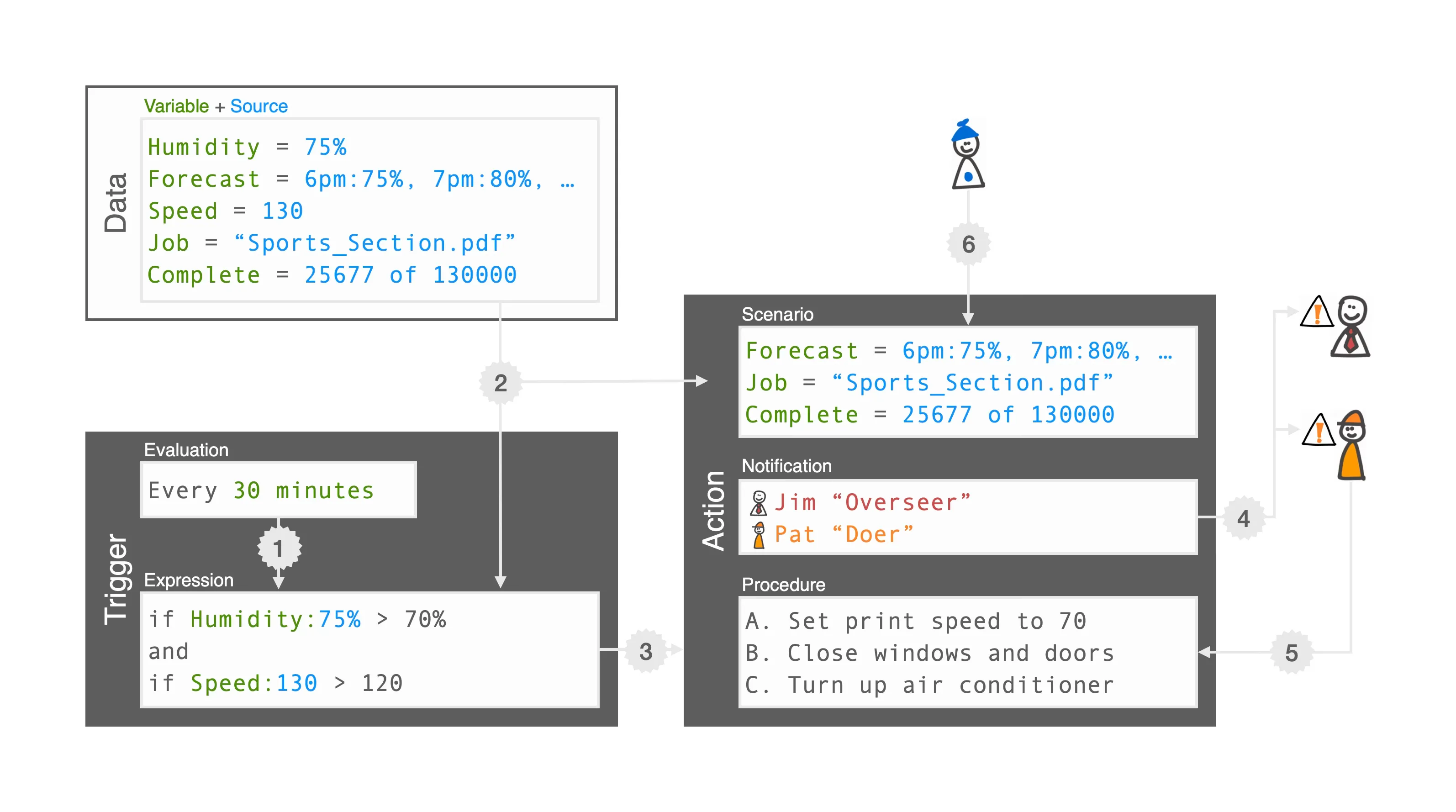
The concept running: the evaluation comes round, the variables are stored, the expression is calculated, Jim and Pat are notified, Pat takes the procedures and The Expert reviews the scenario, each step numbered on the diagram.
- Evaluation is reached.
- Variables are stored.
- Expression is calculated.
- Notifications are sent.
- Procedures are taken.
- Scenario is reviewed.
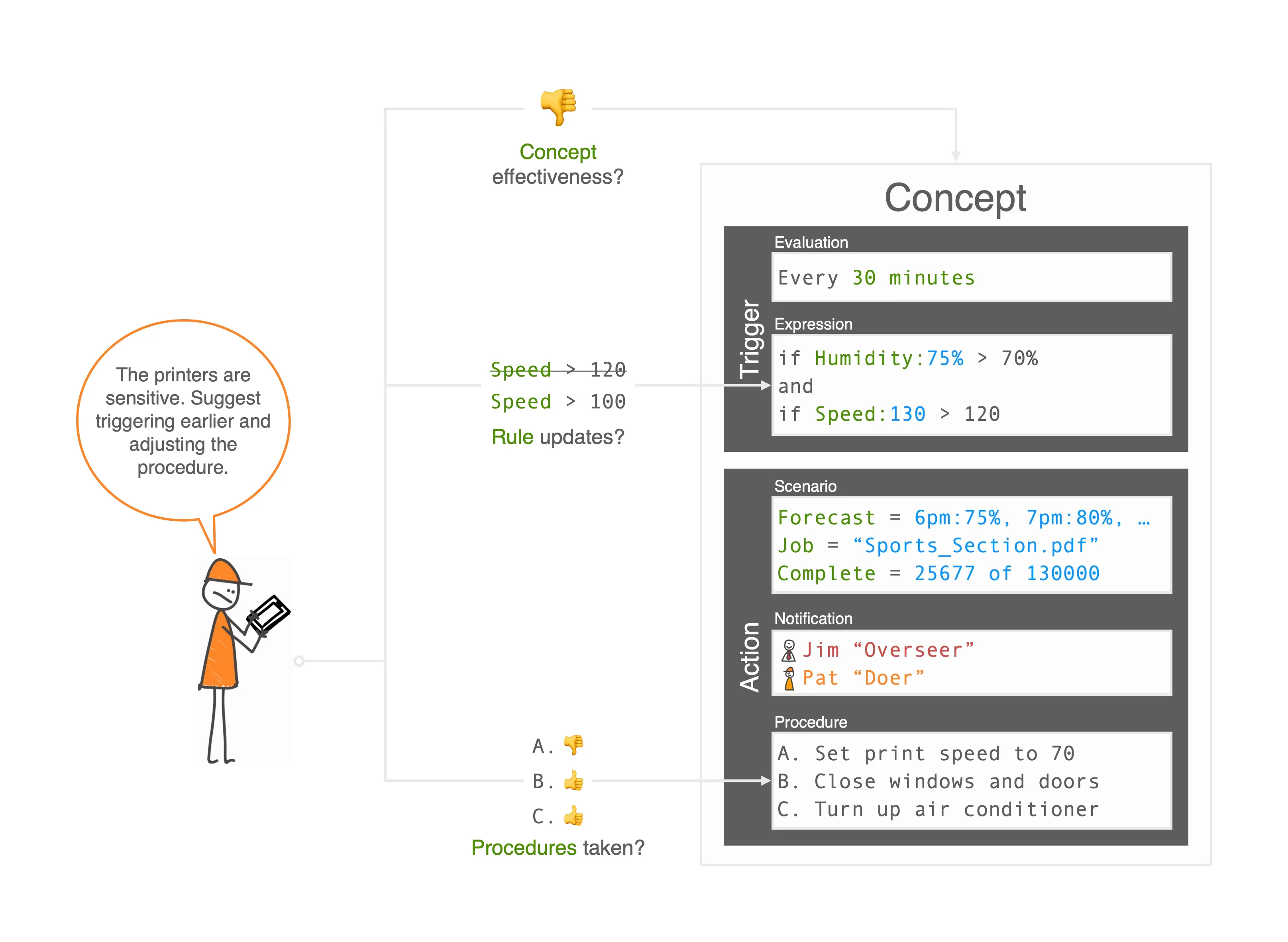
The Doer's feedback after the run: the printers are sensitive, so trigger earlier and adjust the procedure. The concept takes ratings of its effectiveness, rule updates and which procedures were taken, and the rule moves from speed over 120 to speed over 100.
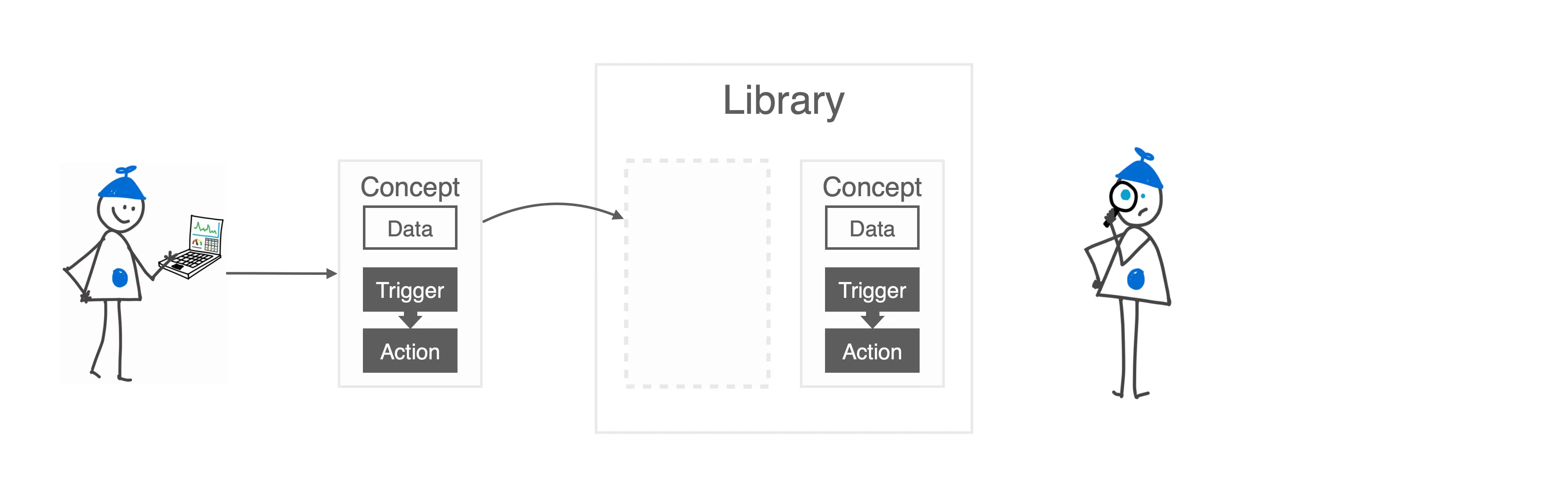
Concepts kept in a library: The Expert makes a concept, places it in the library, and finds it again there.
Experts may create multiple Concepts for different purposes.
Concepts are stored in a Library.
The Library helps manage Concepts with groups, search, and filtering.
Concept templates scale the model across an organization: an Expert's template goes into the library, and others create instances of it tied to their own data.
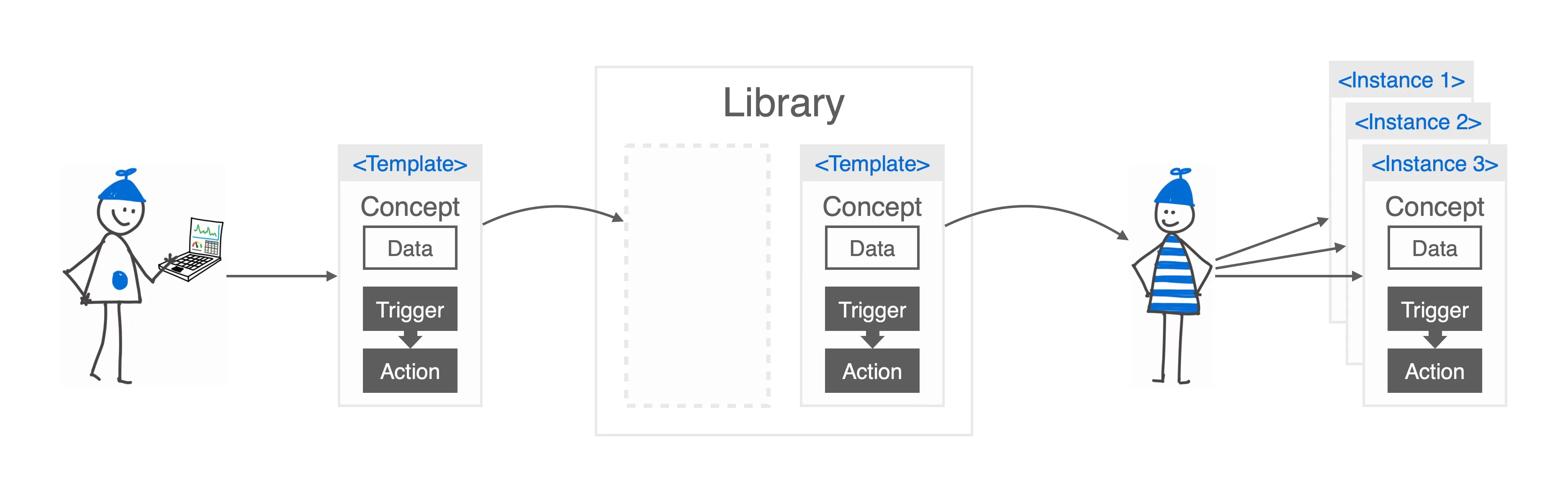
Experts create Concept Templates to allow scaling definition across large organizations.
Concept templates stored in the library can be shared for others to access and generate concept instances.
Others find meaningful concept templates and create instances tied to their specific data.
Product sketches
My first sketch of the rule builder, February 2022. Rules are built from an inserted spreadsheet function, an evaluation and a value, so an expert writes them in a syntax they already know, and the margin notes carry the reasoning. The construct survived unchanged into the hi-fi editor.
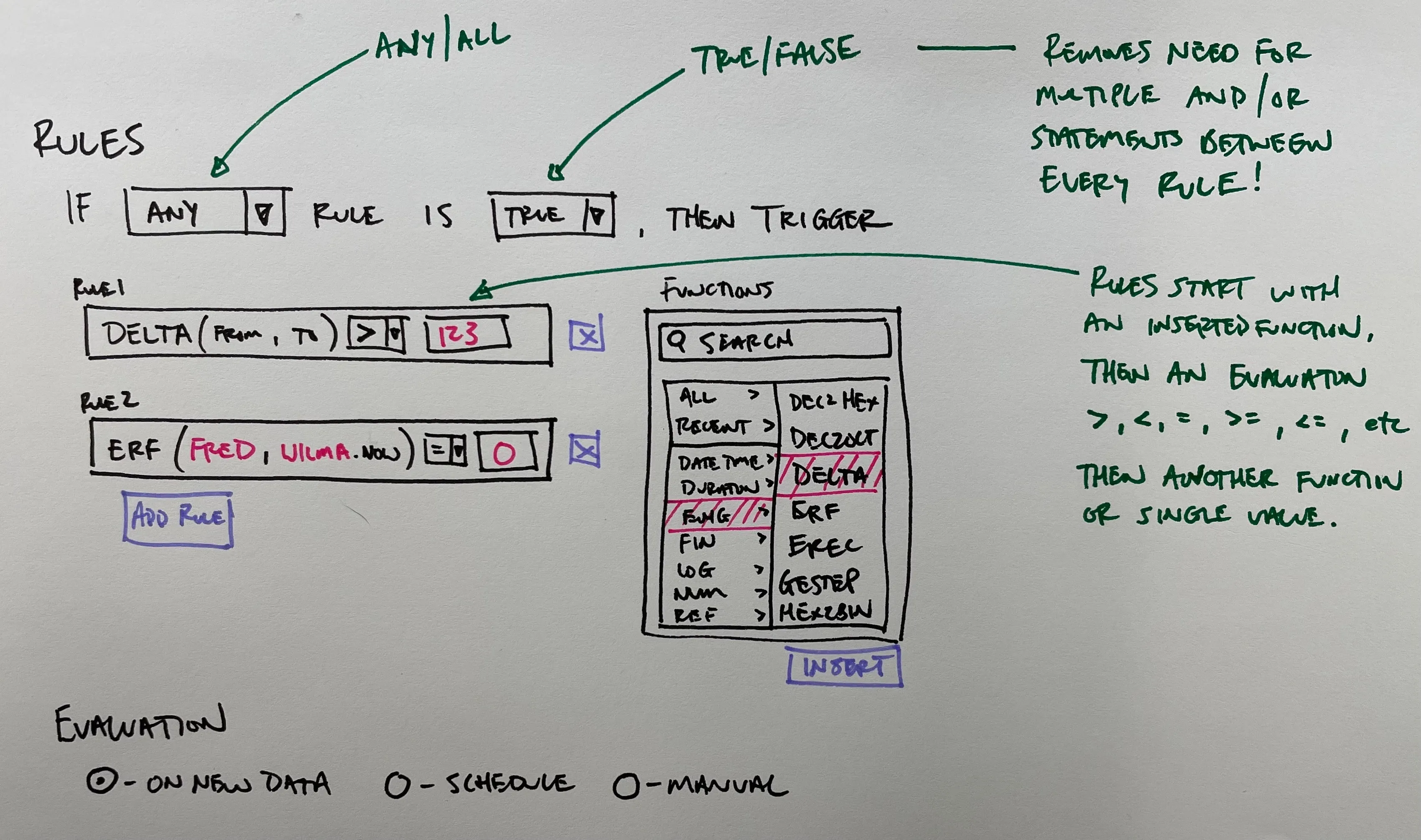
Defining multiple rule conditions.
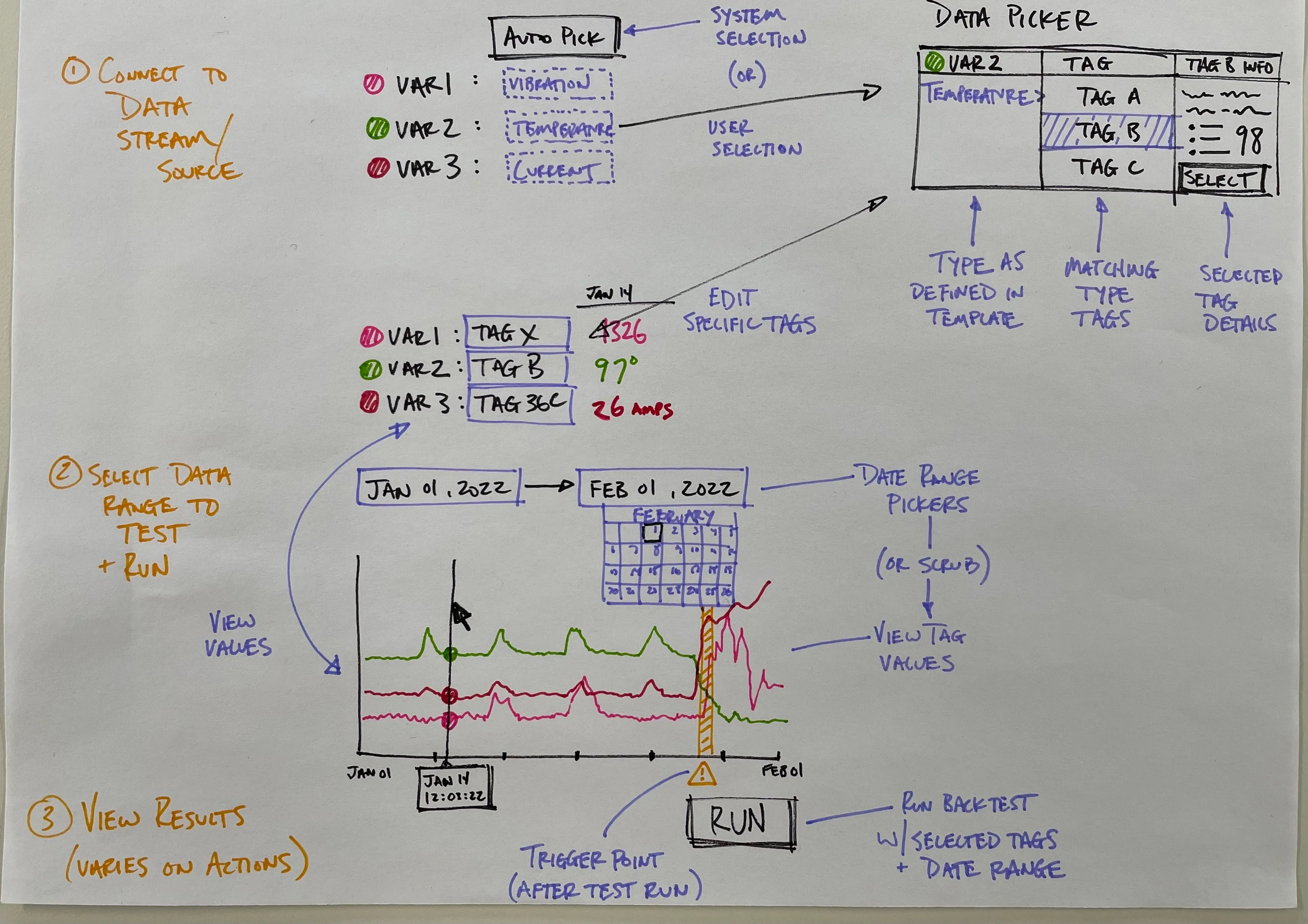
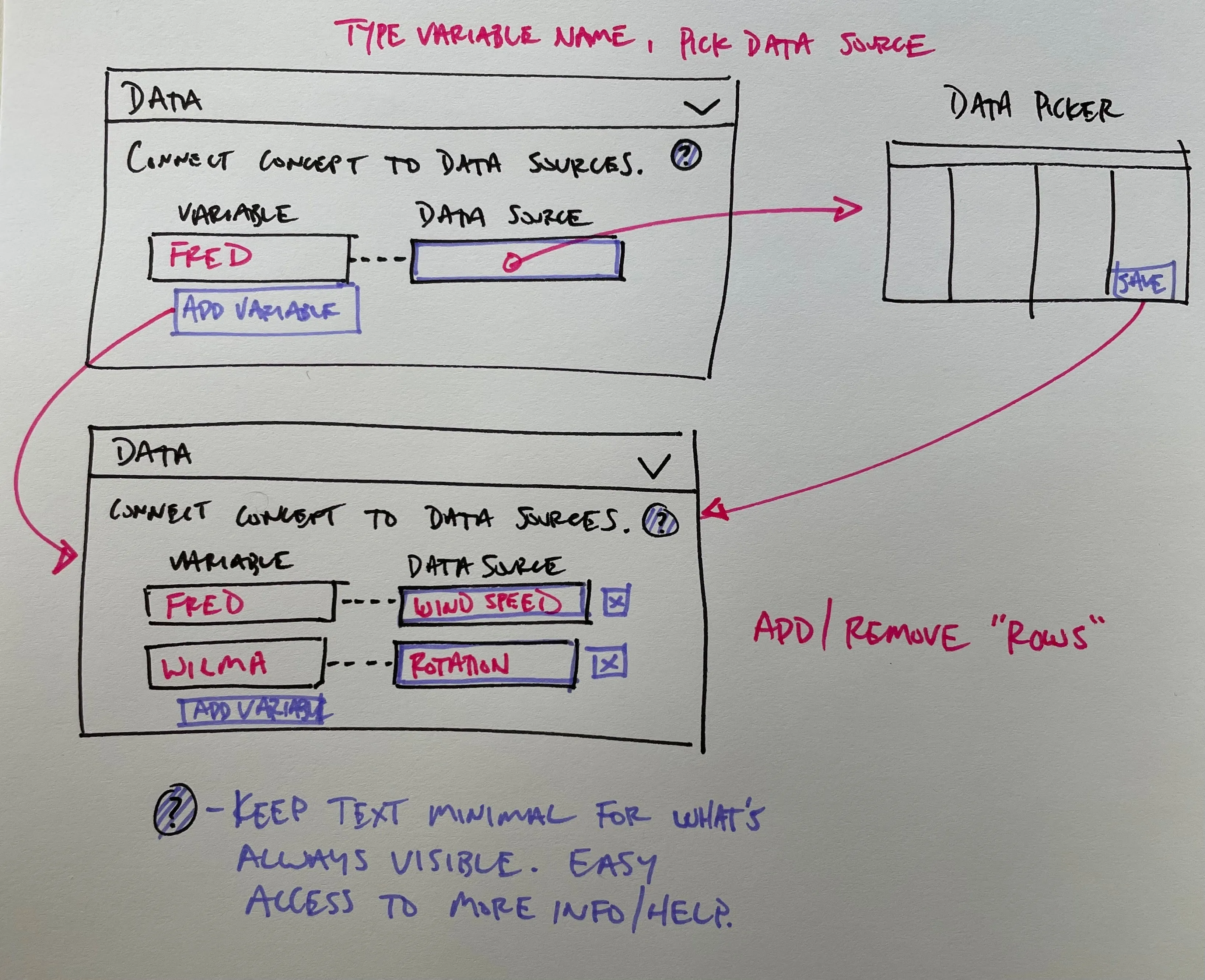
The template backtest sketch, signed 7 February 2022. Before a rule is allowed to interrupt anyone, the expert binds its variables to historical tags, picks a date range and sees where it would have triggered. I designed the trust mechanism before the product. Beside it, the Data panel in two states, empty and bound, with Fred connected to wind speed and Wilma to rotation: how an expert connects a concept to data sources. Wind was the worked example six months before wind was the customer.
The design
The service drawn end to end that autumn: install and configuration, creating a concept template, creating an instance, the rule triggering and the action performed. Existing alerts, data and expert knowledge feed the template at the start, and scenarios, notification responses and actions loop back as later inputs. The feedback loop is the structure, not a feature.
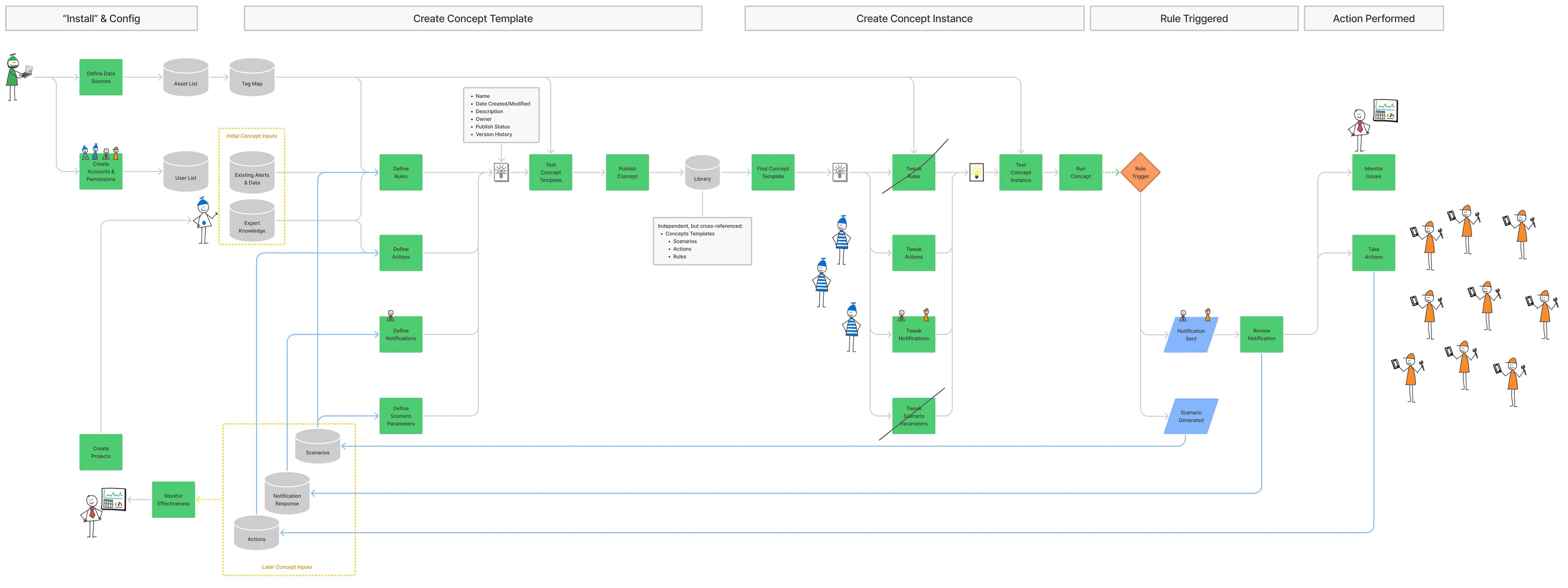
Concept creation and lifecycle diagram.
The v1 wireframe set whole: the screens of each stage of the service in sequence, under the theme get the data flywheel started, with the users who act at each step.
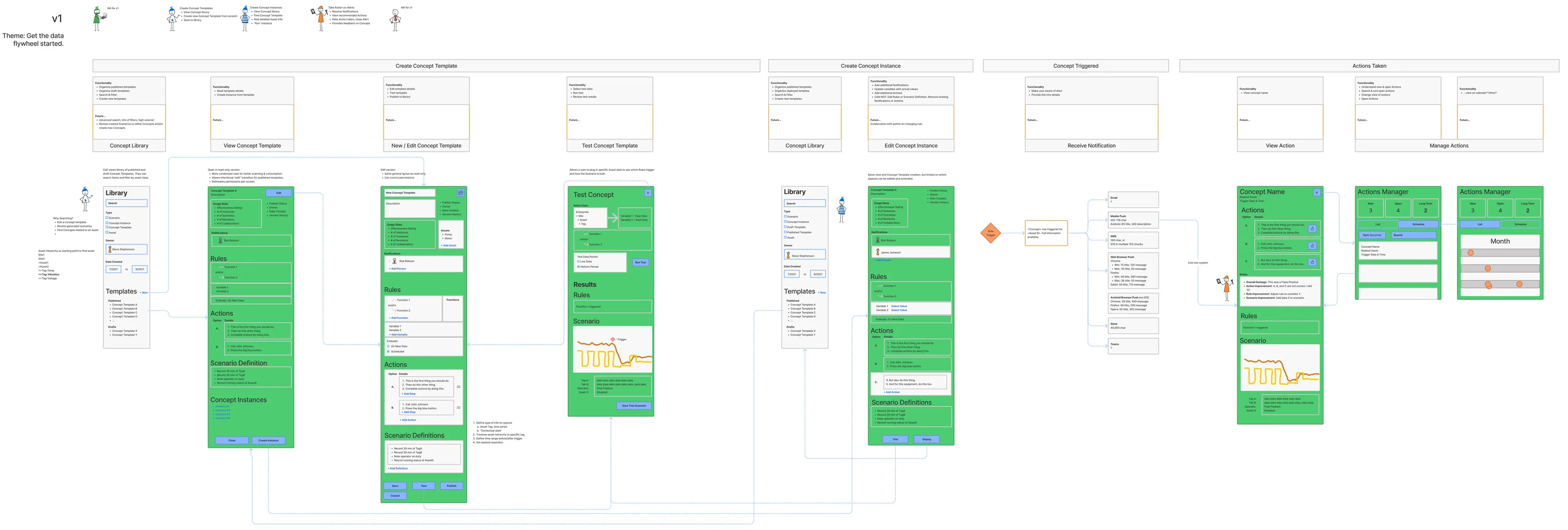
Wireframes indicating needed content and affordances.
The title over the hi-fi screens: high resolution user interfaces for desktop and mobile.
High resolution user interfaces for desktop and mobile.
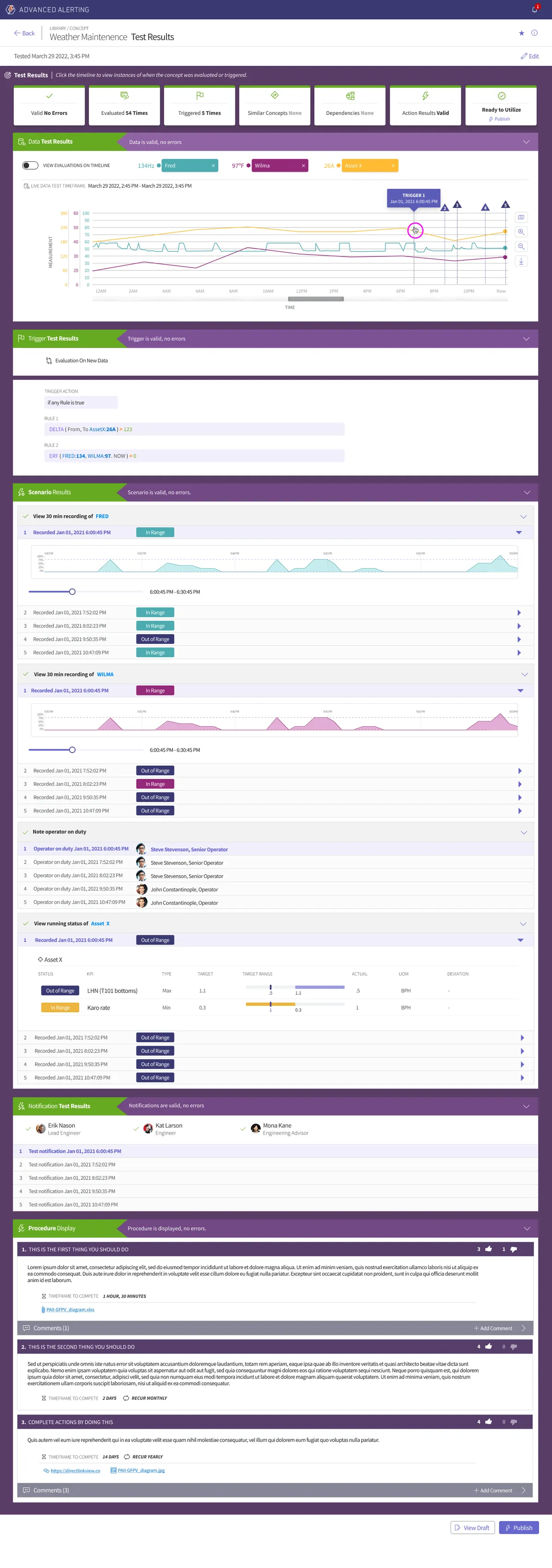
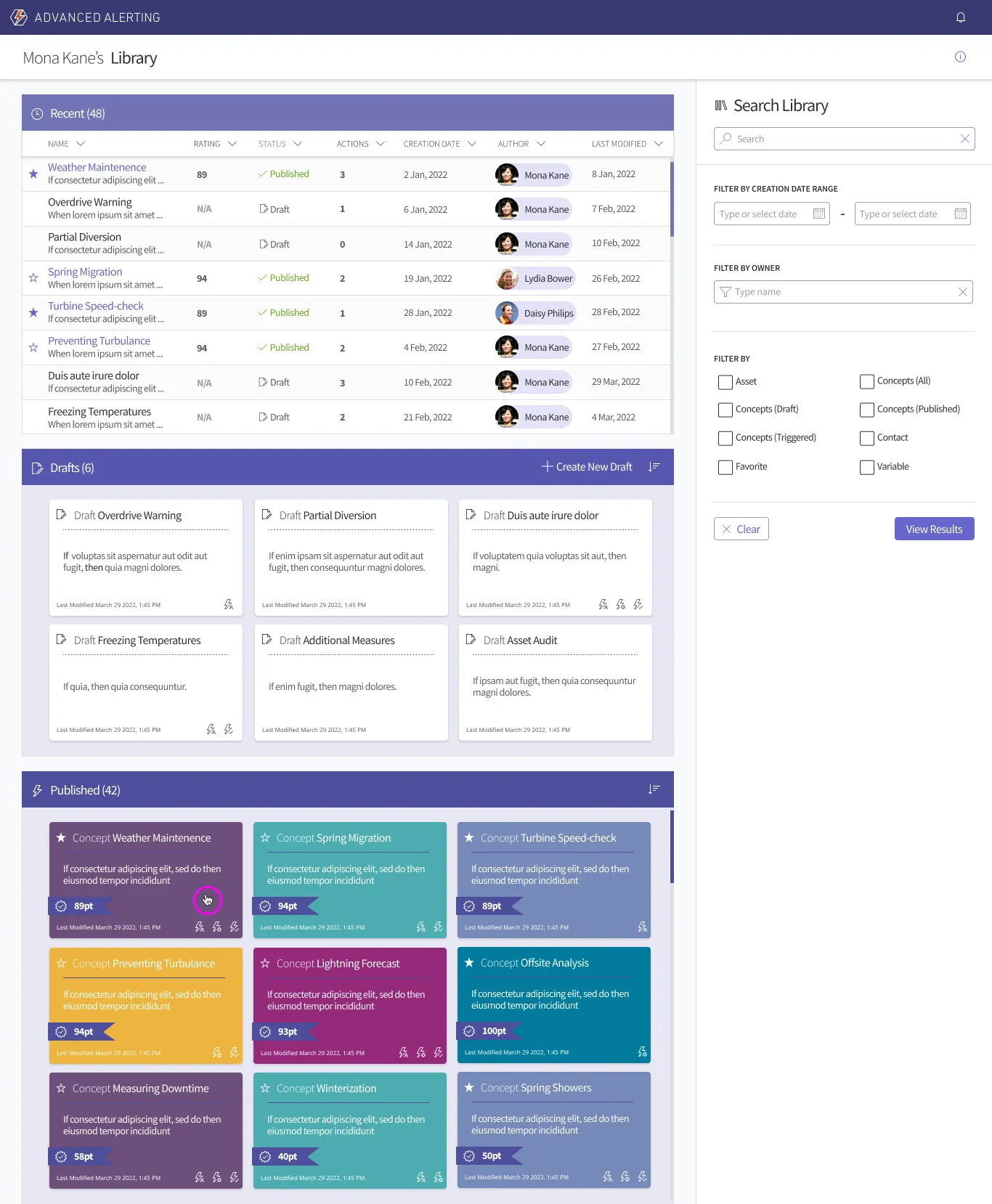
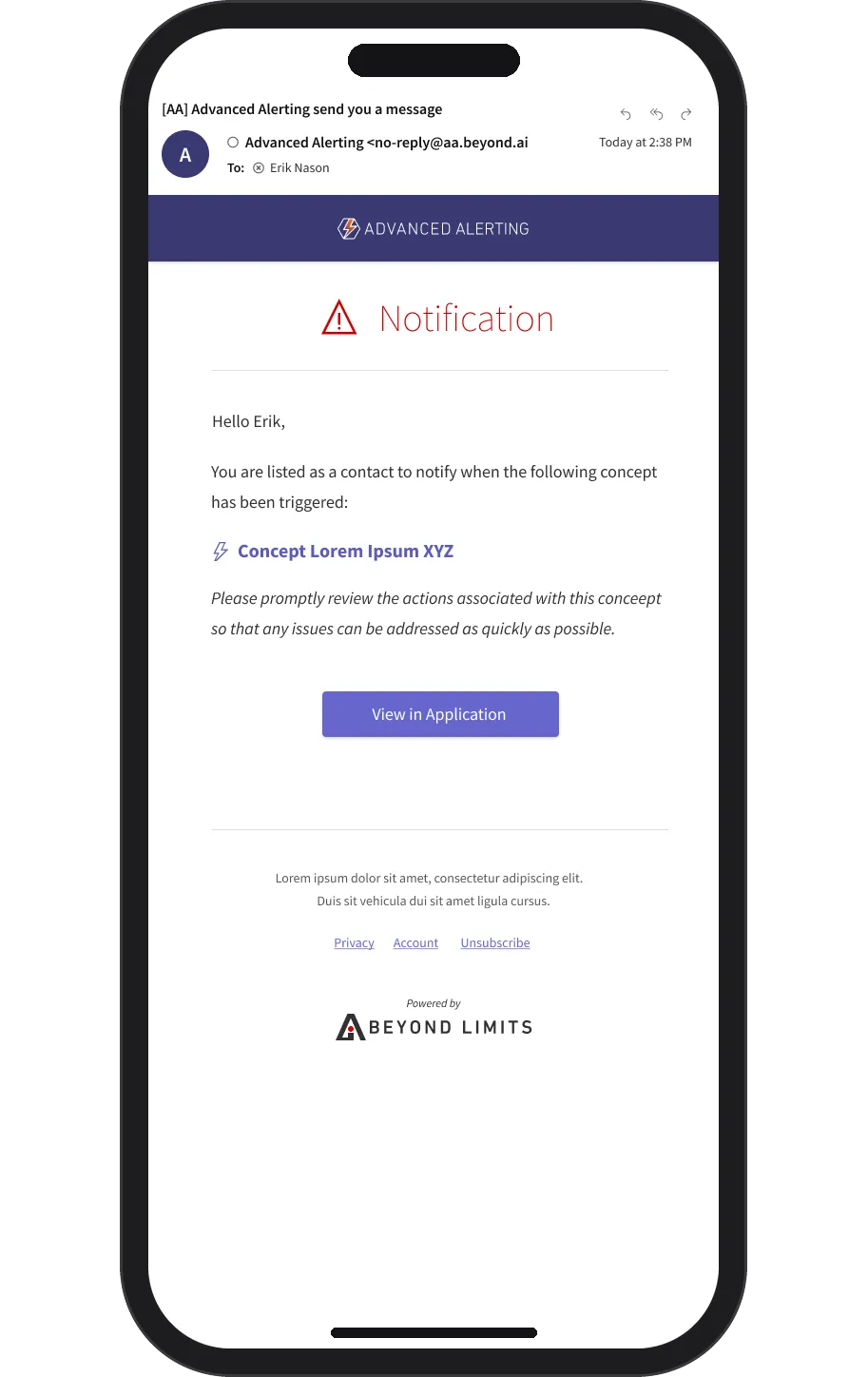
The hi-fi screens under the Advanced Alerting name: the test results at full scroll, beside the library of drafts and published concepts and the notification e-mail on a phone. Fred and Wilma survive from the first sketch as variable names, and the published concepts carry effectiveness scores.
Shipped, 2024
The public record of the release: the March 2024 press release launching the Hybrid AI Platform with KBOps as its knowledge component and PRE delivering alerts and actions, Frost & Sullivan's award naming KBOps, and the company's own account of its origin at NASA JPL and Caltech.
Hybrid AI Platform launched, with KBOps and PRE
Press release · 2024
Frost & Sullivan 2023 Global Enabling Technology Leadership Award
Press release · 2024
BeyondAI, from space to industry
Company page
One idea across three records, earliest first: the case-display patent of 2015, Asset Performance Management (2014–2015), and this project (2022). KBOps closes what the earlier work left open: the expert's rule, the doer's procedure, and the feedback between them.
LineageEarliest first · 3 records
AI usage
2, Ideas. AI helped with research, sources, brainstorming or structure. I wrote every word.The tiers